
Lab 02Model in Python with B-UML
The research domain written with the B-UML Python API, validated, turned into a SQLite database and a Django admin app, and moved between Python and the editor.
- Time
- 1 h
- Level
- Beginner
- Runs with
- Python
- Do first
- Lab 1
You'll learn to
- Build a domain model in Python with classes, attributes, associations, generalizations and an enumeration
- Validate a B-UML model and inspect it from code
- Generate SQLAlchemy code and create a SQLite database from it
- Generate and run a Django project with an admin interface
- Move a model from the editor to Python and back
You'll need
- Python 3.11 or 3.12
- A terminal and a code editor
Files for this lab
In Draw your first class diagram you drew the research domain in the editor. Every editor model is a B-UML model underneath, and B-UML is also a Python library. In this lab you build the same model in Python, which is how you script models, test them, or plug BESSER into your own tools.
You then hand the model to two code generators: SQLAlchemy, which gives you a database, and Django, which gives you a web app with an admin interface. At the end you move a model from the editor into Python and the other way around.
Install BESSER in a virtual environment
- Create a folder for this lab, for example
buml-lab, and open a terminal in it. - Create and activate a virtual environment, then install BESSER:
python -m venv venv
source venv/bin/activate
python -m pip install besser
python -m venv venv
venv\Scripts\activate
python -m pip install besser- Check the installed version:
python -c "from importlib.metadata import version; print(version('besser'))"8.0.1Define the classes and their attributes
Download domain_model.py into your lab folder and open it. It builds the model from the first lab. The first part creates the enumeration and the classes:
from besser.BUML.metamodel.structural import (
    BinaryAssociation, BooleanType, Class, DateType, DomainModel, Enumeration,
    EnumerationLiteral, Generalization, Multiplicity, Property, StringType,
)

# Enumeration
EventMode = Enumeration(name="EventMode", literals={
    EnumerationLiteral(name="in_person"),
    EnumerationLiteral(name="online"),
    EnumerationLiteral(name="hybrid"),
})

# Classes and their attributes
Researcher = Class(name="Researcher", attributes={
    Property(name="name", type=StringType),
    Property(name="institution", type=StringType),
})

Paper = Class(name="Paper", attributes={
    Property(name="title", type=StringType),
    Property(name="submitted", type=DateType),
    Property(name="acceptance", type=BooleanType),
})

ResearchEvent = Class(name="ResearchEvent", attributes={
    Property(name="name", type=StringType),
    Property(name="start", type=DateType),
    Property(name="end", type=DateType),
    Property(name="mode", type=EventMode),
})

Conference = Class(name="Conference", attributes={Property(name="acronym", type=StringType)})
Workshop = Class(name="Workshop", attributes={Property(name="topic", type=StringType)})
Each attribute is a Property with a name and a type. The primitive types are ready-made objects: StringType, IntegerType, FloatType, BooleanType, DateType, DateTimeType, TimeType, TimeDeltaType and AnyType. An enumeration is used as a type in the same way, as mode shows.
Connect the classes and group them in a domain model
The second part of the file adds the relationships and wraps everything in a DomainModel:
# Associations: each end is a Property named after the role it plays.
authorship = BinaryAssociation(name="authorship", ends={
    Property(name="papers", type=Paper, multiplicity=Multiplicity(0, "*")),
    Property(name="authors", type=Researcher, multiplicity=Multiplicity(1, "*")),
})

# Composition: an event owns its papers (is_composite goes on the whole's end).
presented_at = BinaryAssociation(name="presented_at", ends={
    Property(name="papers", type=Paper, multiplicity=Multiplicity(0, "*")),
    Property(name="event", type=ResearchEvent, multiplicity=Multiplicity(1, 1), is_composite=True),
})

# Generalizations: a Conference is a ResearchEvent, and so is a Workshop.
conference_is_event = Generalization(general=ResearchEvent, specific=Conference)
workshop_is_event = Generalization(general=ResearchEvent, specific=Workshop)

# The domain model groups everything.
domain_model = DomainModel(
    name="Research_Lab",
    types={Researcher, Paper, ResearchEvent, Conference, Workshop, EventMode},
    associations={authorship, presented_at},
    generalizations={conference_is_event, workshop_is_event},
)
A BinaryAssociation has exactly two ends. Each end is a Property whose type is the class at that end and whose name is the role, the same values you typed in the editor’s Role fields. Multiplicity(0, "*") is the editor’s *, and Multiplicity(1, "*") is 1..*.
Run the file. Its last lines print every class with its own attributes:
python domain_model.pyConference(acronym: str)
Paper(acceptance: bool, submitted: date, title: str)
ResearchEvent(end: date, mode: EventMode, name: str, start: date)
Researcher(institution: str, name: str)
Workshop(topic: str)Validate the model and inspect it
B-UML checks some rules as you build the model and others when you ask for a full validation. Create inspect_model.py next to domain_model.py:
from domain_model import domain_model, Conference

result = domain_model.validate(raise_exception=False)
print("valid:", result["success"], "errors:", result["errors"], "warnings:", result["warnings"])

print("Conference inherits from:", [p.name for p in Conference.parents()])
print("Conference attributes:", sorted(a.name for a in Conference.all_attributes()))

for assoc in sorted(domain_model.associations, key=lambda a: a.name):
    for end in sorted(assoc.ends, key=lambda e: e.name):
        m = end.multiplicity
        upper = "*" if m.max == 9999 else m.max
        print(f"{assoc.name}: {end.name} -> {end.type.name} [{m.min}..{upper}]"
              f"{' (composite)' if end.is_composite else ''}")
python inspect_model.pyvalid: True errors: [] warnings: []
Conference inherits from: ['ResearchEvent']
Conference attributes: ['acronym', 'end', 'mode', 'name', 'start']
authorship: authors -> Researcher [1..*]
authorship: papers -> Paper [0..*]
presented_at: event -> ResearchEvent [1..1] (composite)
presented_at: papers -> Paper [0..*]all_attributes() includes the inherited ones, so Conference has name, start, end and mode from ResearchEvent. B-UML stores an unbounded upper multiplicity (*) as 9999.
Rules that are checked immediately raise an error at the line that breaks them. For example, names cannot contain spaces:
Class(name="Research Event")ValueError: 'Research Event' is invalid. Name cannot contain spaces.Marking both ends of an association with is_composite=True fails the same way, with ValueError: The composition attribute cannot be tagged at both ends.
Generate a SQLite database with SQLAlchemy
SQLAlchemy maps Python classes to database tables. The BESSER generator writes that mapping for you. Create generate_sql.py:
from besser.generators.sql_alchemy import SQLAlchemyGenerator
from domain_model import domain_model

SQLAlchemyGenerator(model=domain_model).generate(dbms="sqlite")
python generate_sql.pyCode generated successfully!The generator writes output/sql_alchemy.py. Run that file from inside output to create the database:
cd output
python sql_alchemy.py
cd ..
The script creates output/data/Research_Lab.db (the file is named after the model). To see the tables, create show_tables.py in the lab folder:
import sqlite3

con = sqlite3.connect("output/data/Research_Lab.db")
for (table,) in con.execute("SELECT name FROM sqlite_master WHERE type='table' ORDER BY name"):
    columns = [row[1] for row in con.execute(f"PRAGMA table_info('{table}')")]
    print(f"{table}: {', '.join(columns)}")
python show_tables.pyauthorship: authors, papers
conference: id, acronym
paper: id, title, submitted, acceptance, event_id
researcher: id, name, institution
researchevent: id, name, start, end, mode, type_spec
workshop: id, topicRead the result against the model:
- Every class got a table with a generated
idprimary key. - The many-to-many association
authorshipbecame a link table with one column per end. - The composition
presented_atbecame the foreign keypaper.event_id, because a paper has exactly one event. - The generalization became joined tables:
conferenceandworkshophold only their own columns and share theidof aresearcheventrow, whosetype_speccolumn records which subclass the row is.
You can also use the generated classes directly. Save this as output/add_data.py and run it from inside output:
from datetime import date
from sqlalchemy.orm import Session
from sql_alchemy import engine, Conference, EventMode, Paper, Researcher

with Session(engine) as session:
    models = Conference(name="MODELS 2026", acronym="MODELS", start=date(2026, 10, 4),
                        end=date(2026, 10, 9), mode=EventMode.in_person)
    alice = Researcher(name="Alice", institution="LIST")
    paper = Paper(title="Low-code for research software", submitted=date(2026, 4, 1),
                  acceptance=True, event=models, authors=[alice])
    session.add(paper)
    session.commit()
    for p in session.query(Paper).all():
        print(p.title, "|", p.event.name, "|", [a.name for a in p.authors])
Low-code for research software | MODELS 2026 | ['Alice']Generate and run a Django project
Django is a Python web framework. The BESSER Django generator creates a complete project whose admin interface lets you create, edit and delete instances of every class. Create generate_django.py:
from besser.generators.django import DjangoGenerator
from domain_model import domain_model

DjangoGenerator(
    model=domain_model,
    project_name="research_site",
    app_name="research_app",
    containerization=False,
).generate()
python generate_django.pyThe script prints a line ending in Django project generation completed successfully! and creates the folder research_site with manage.py, requirements.txt, the project package research_site and the app research_app.
Install the project’s dependencies and create its database. requirements.txt pins its own Django version, so it may replace the one BESSER installed in your virtual environment; that is expected.
cd research_site
python -m pip install -r requirements.txt
python manage.py makemigrations
python manage.py migrate
makemigrations reads the generated models:
Migrations for 'research_app':
  research_app\migrations\0001_initial.py
    + Create model ResearchEvent
    + Create model Researcher
    + Create model Conference
    + Create model Workshop
    + Create model Paper
Create an admin account (it asks for a user name, an e-mail address and a password), then start the server:
python manage.py createsuperuser
python manage.py runserver
Open http://127.0.0.1:8000/admin/ and log in with the account you just created.
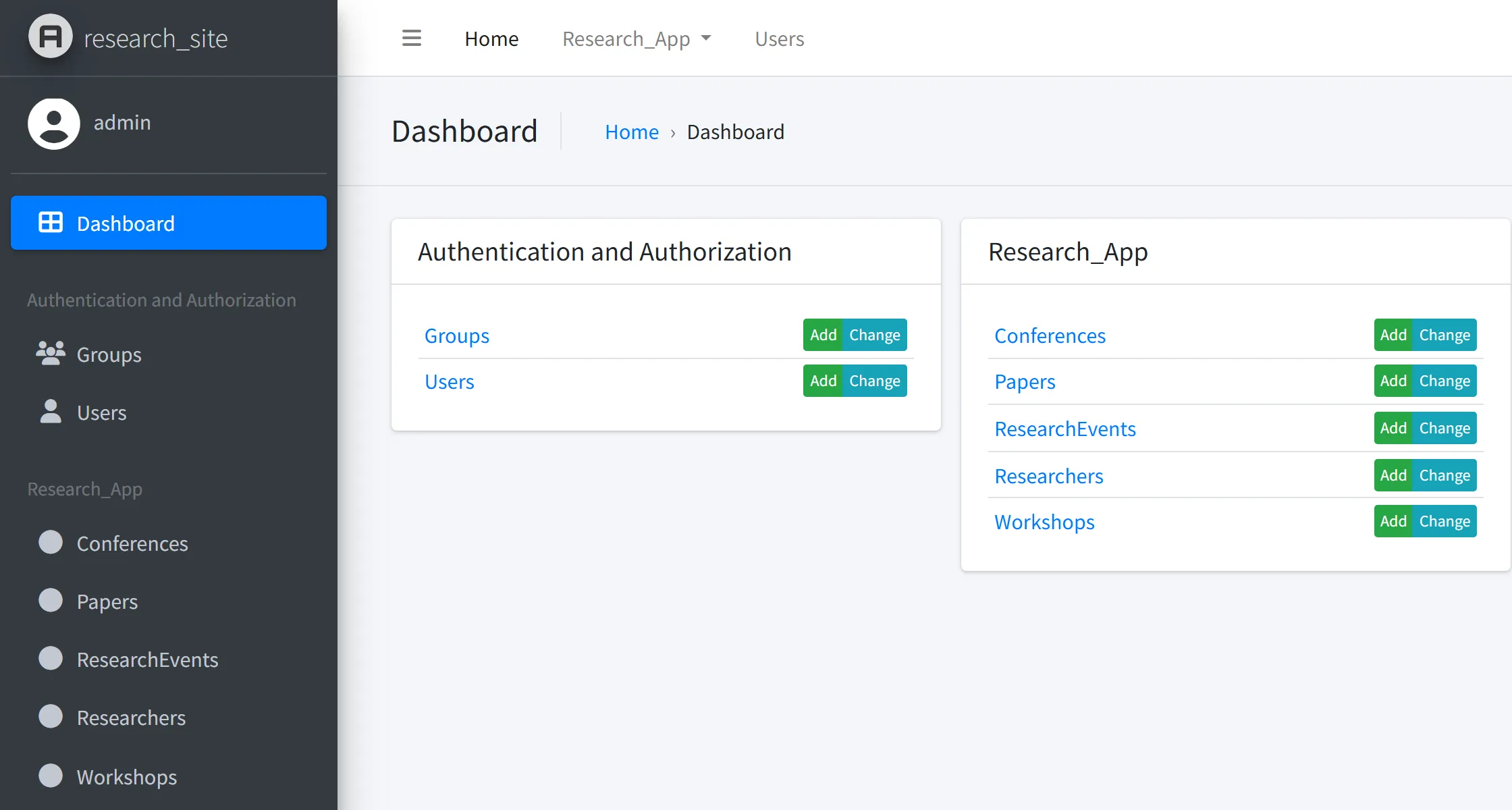
Add a conference, a researcher and a paper through the admin. In the generated research_app/models.py, authorship became a ManyToManyField and presented_at a ForeignKey with on_delete=models.CASCADE, so the paper form requires authors and an event, and deleting an event deletes its papers, as the composition says. Stop the server with Ctrl+C.
Move models between the editor and Python
From the editor to Python. In the editor, open the project from the first lab and choose File > Export Project, then Export as B-UML. The editor downloads research_lab_project.py. It is plain B-UML code, built with the same classes you used above, and it ends with a Project that holds the domain model:
domain_model = DomainModel(
    name="Class_Diagram",
    types={ResearchEvent, Paper, Researcher, Conference, Workshop, EventMode},
    associations={authorship, presented_at},
    generalizations={gen_Conference_ResearchEvent, gen_Workshop_ResearchEvent},
    metadata=None
)
The domain model is named after the diagram tab (Class Diagram, with the space replaced). Put the file in your lab folder and use it like your own model. Create from_editor.py:
from besser.generators.sql_alchemy import SQLAlchemyGenerator
from research_lab_project import domain_model

print(domain_model.name, sorted(c.name for c in domain_model.get_classes()))
SQLAlchemyGenerator(model=domain_model, output_dir="editor_output").generate(dbms="sqlite")
Class_Diagram ['Conference', 'Paper', 'ResearchEvent', 'Researcher', 'Workshop']
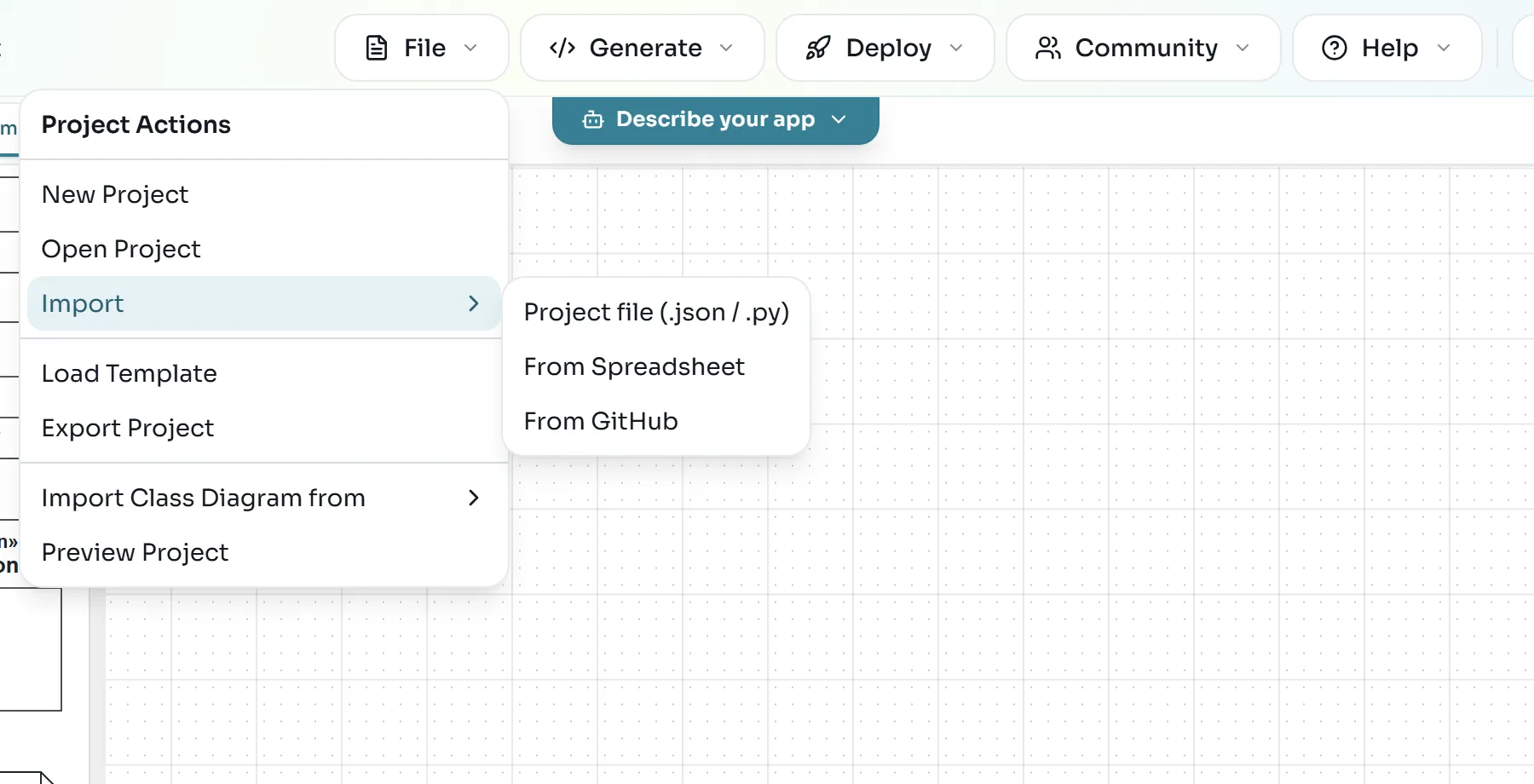
Code generated successfully!From Python to the editor. Open File > Import > Project file (.json / .py).
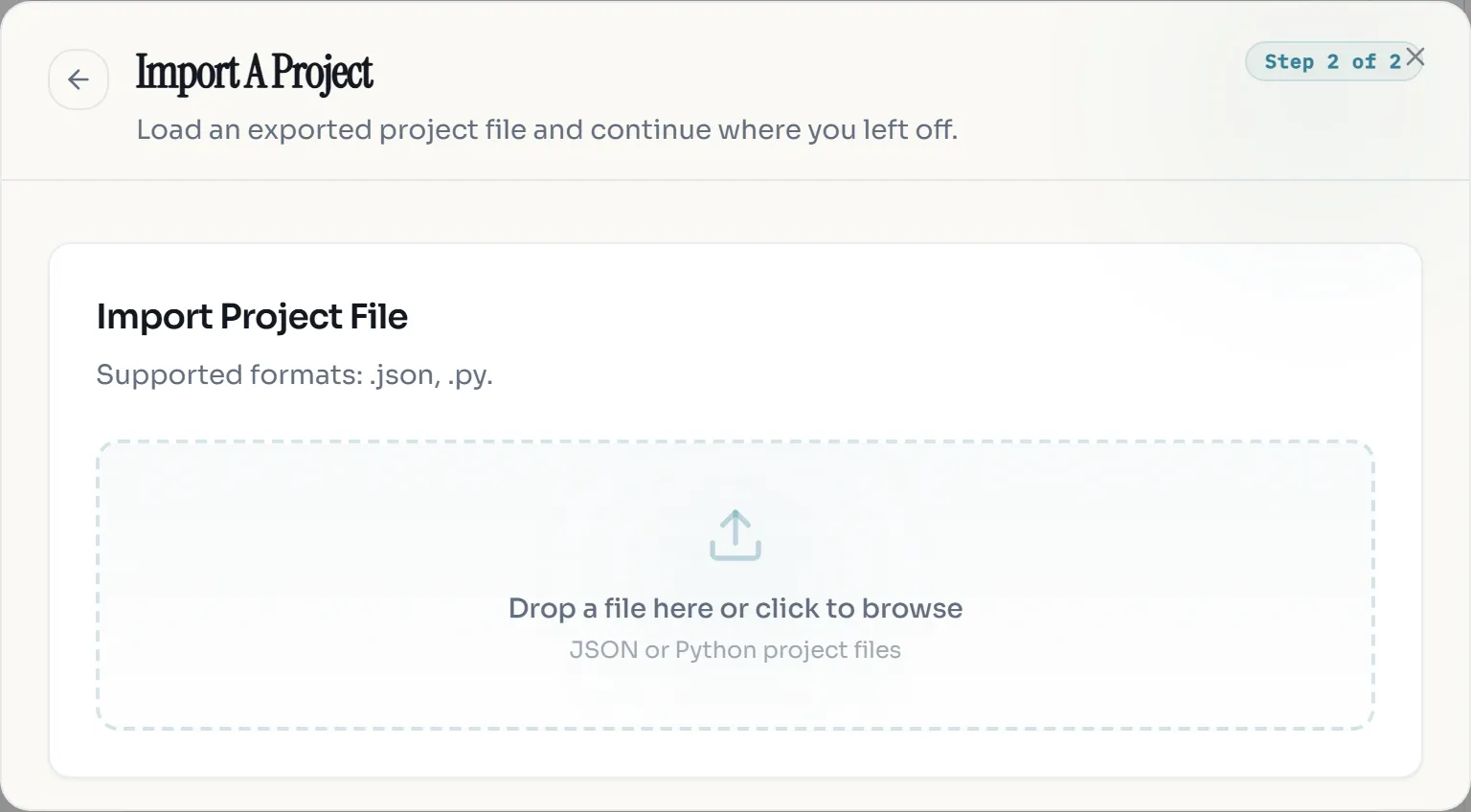
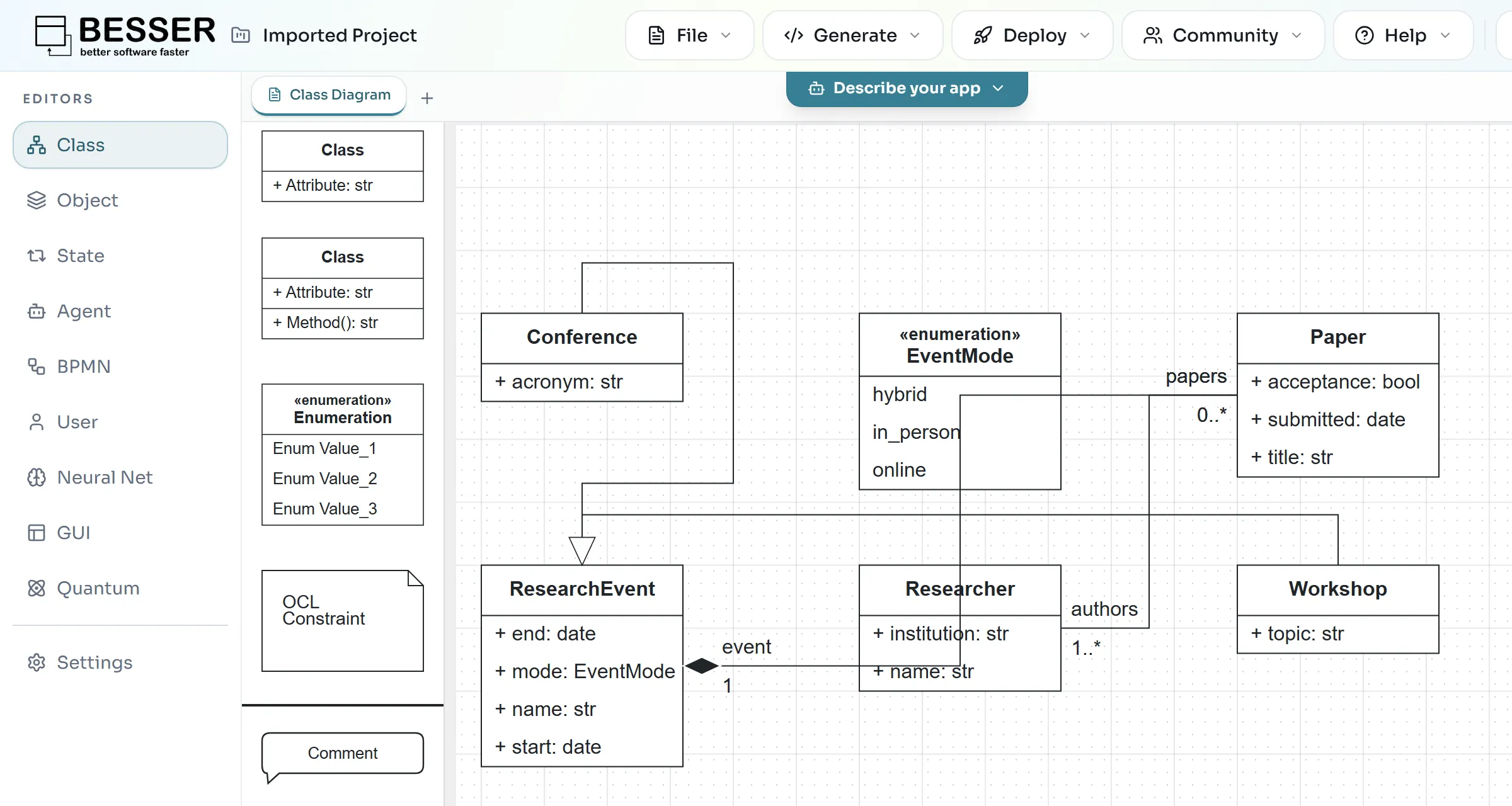
In the Import A Project dialog, drop domain_model.py on the drop zone or click it to browse. A plain model file works: it does not need a Project definition.
The editor converts the file, shows the notification Imported project "Imported Project". and opens the class diagram. It places the classes automatically, so drag them around until the diagram is readable.
Exercise: junior and senior researchers
Show a solution
Create the two classes like Conference, add them to the types of the domain model, and add two Generalization(general=Researcher, specific=...) objects to its generalizations. You can also call domain_model.add_type(...) and domain_model.add_generalization(...) on the existing model. Delete output/data/Research_Lab.db before running sql_alchemy.py again. The database then has the tables junior and senior next to researcher.
Show a solution
ScoreValue is an Enumeration with six EnumerationLiterals. Score needs two BinaryAssociations: one to Paper (put is_composite=True on the Paper end) and one to Researcher with a reviewer end of multiplicity Multiplicity(1, 1).
The full API is described in the structural model documentation, and the generators in the Django generator documentation.