

Lab 03Add behavior to your model
The research model gains an OCL constraint, method bodies in BAL and Python and a state machine, and you watch them run in a generated FastAPI backend.
- Time
- 50 min
- Level
- Intermediate
- Runs with
- Browser, Python
- Do first
- Lab 1
You'll learn to
- Write an OCL invariant and check it with Quality Check
- Test a constraint against concrete objects in an object diagram
- Implement methods in the BESSER Action Language (BAL) and in Python
- Link a state machine to a method as its implementation
- Generate a FastAPI backend and call the modeled methods from Swagger UI
You'll need
- A modern browser
- Python 3.11 or 3.12 to run the generated backend (the modeling part needs only the browser)
- The project from the first lab, or the starter file below
Files for this lab
A class diagram describes structure: which data exists and how it is connected. Real systems also have rules and behavior. A paper has a page limit, an accepted paper must be marked as accepted, a review goes through stages. In this lab you add all three kinds to the research model from Draw your first class diagram: an OCL constraint, methods with real bodies, and a state machine.
Then you generate a backend from the model and run it. The constraint becomes input validation, and each method becomes an HTTP endpoint you can call.
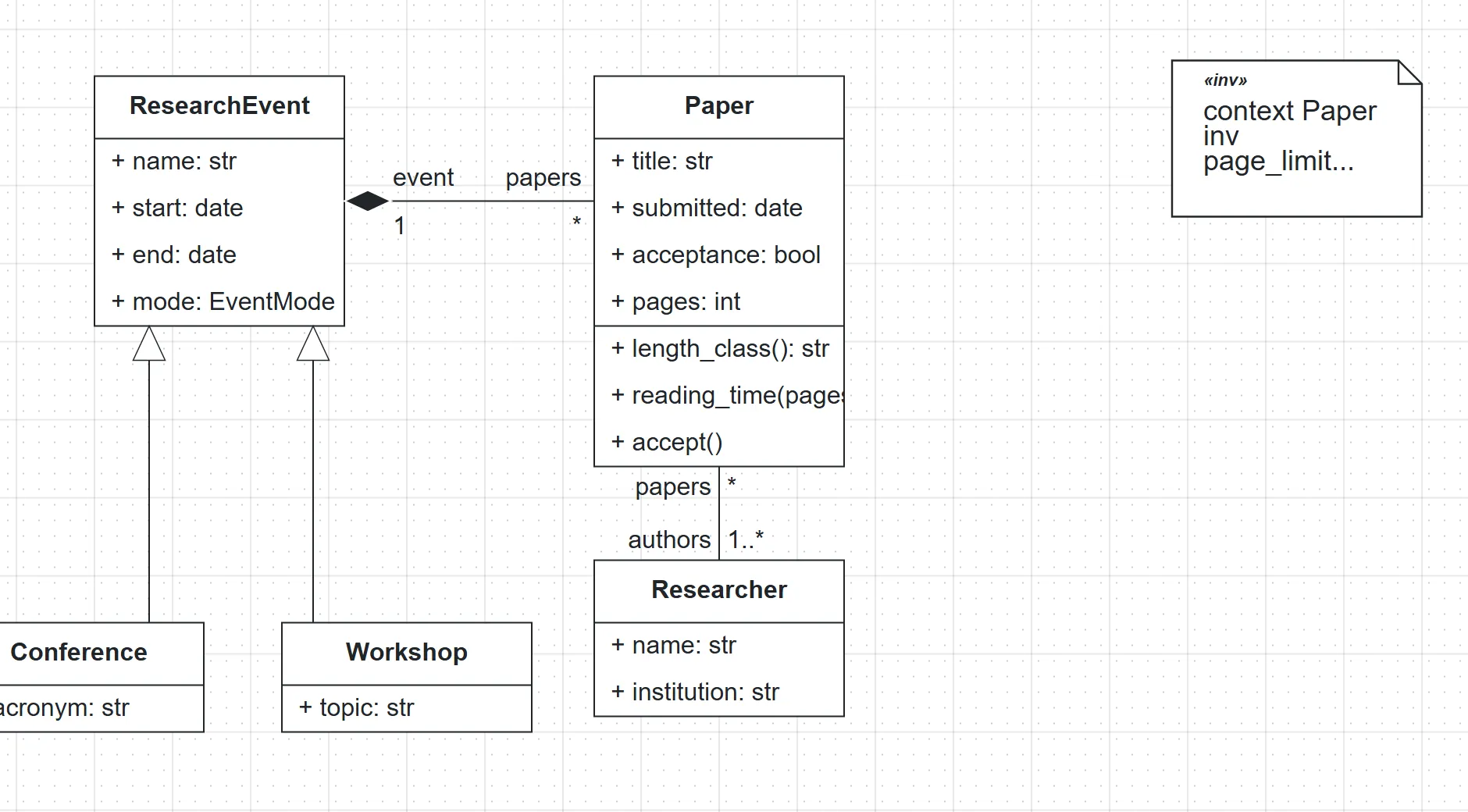
Open the research project and add a page count
- In the editor, open your
Research_Labproject from the first lab. If you do not have it, download the starter project and open File > Import > Project file (.json / .py) to import it. - Double-click
Paperand add the attributepages: intin the+ attribute: strfield.
Write an OCL constraint
OCL (Object Constraint Language) states rules that every valid instance must satisfy. An invariant is a rule about one class: context <Class> inv <name>: <boolean expression>, where self is the instance being checked.
- Drag OCL Constraint from the palette onto the canvas, next to
Paper, and double-click it. - In the OCL Constraint field, type:
context Paper inv page_limit: self.pages <= 12- In Description (shown to end-users when validation fails) Optional, type
A paper can have at most 12 pages.This text is the message people see when the rule is broken.
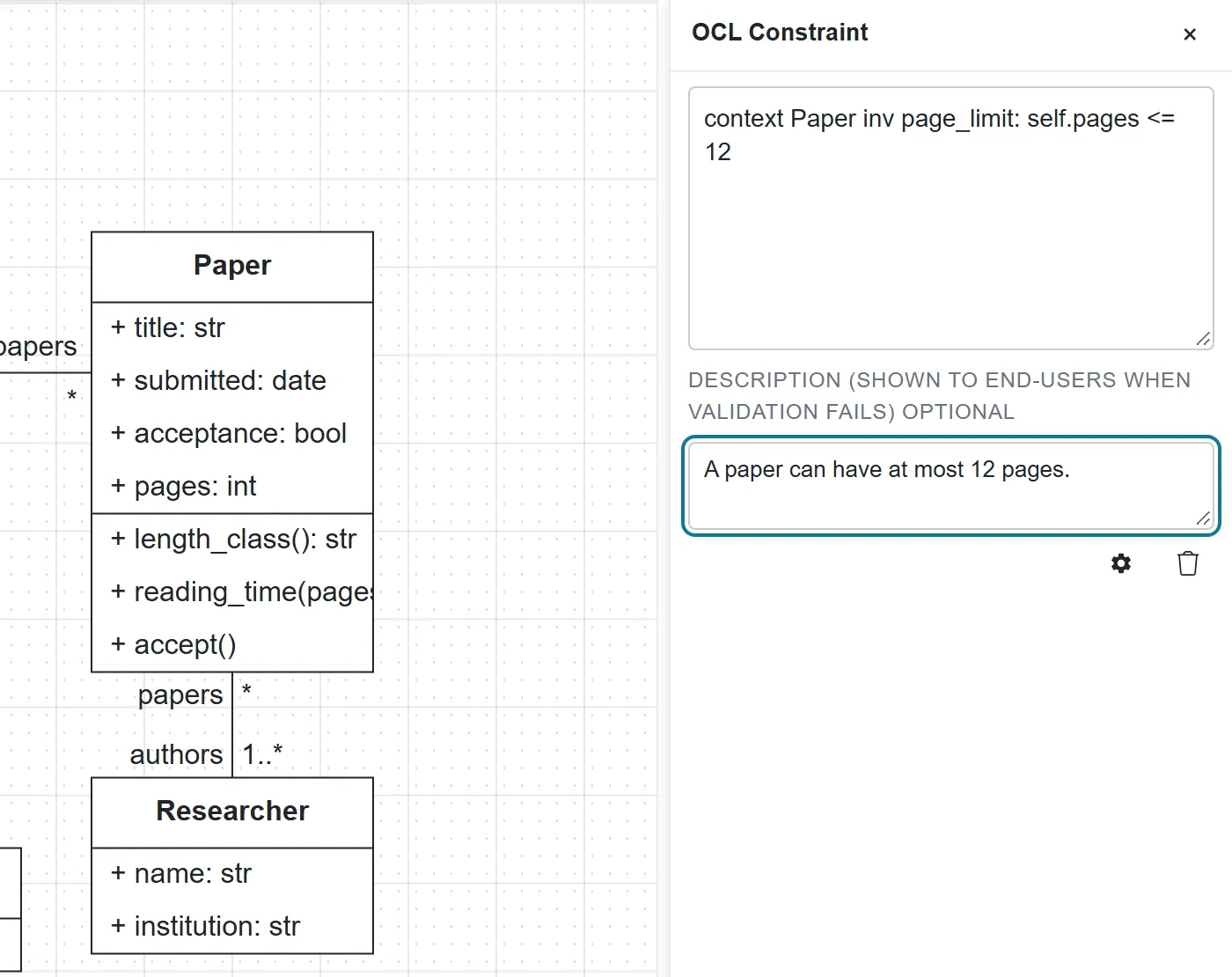
- Click Quality Check.
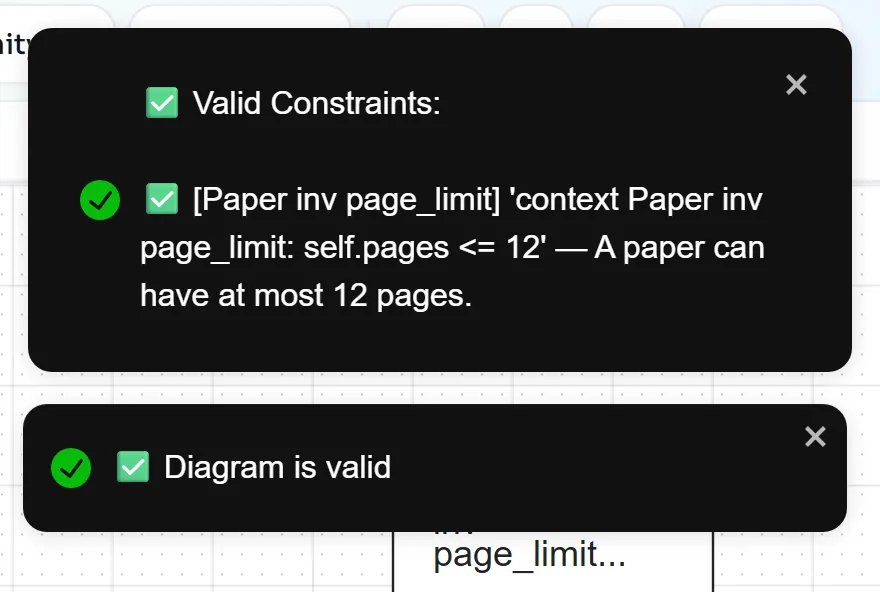
Test the constraint on an object diagram
Quality Check on a class diagram only checks that the constraint is well formed. To see it judge data, you build concrete objects in an object diagram.
- Click Object in the left sidebar. The palette lists one object per class of your class diagram, such as
paper_1 : Paperandresearcher_1 : Researcher. The References bar at the top shows which class diagram the objects come from. - Drag
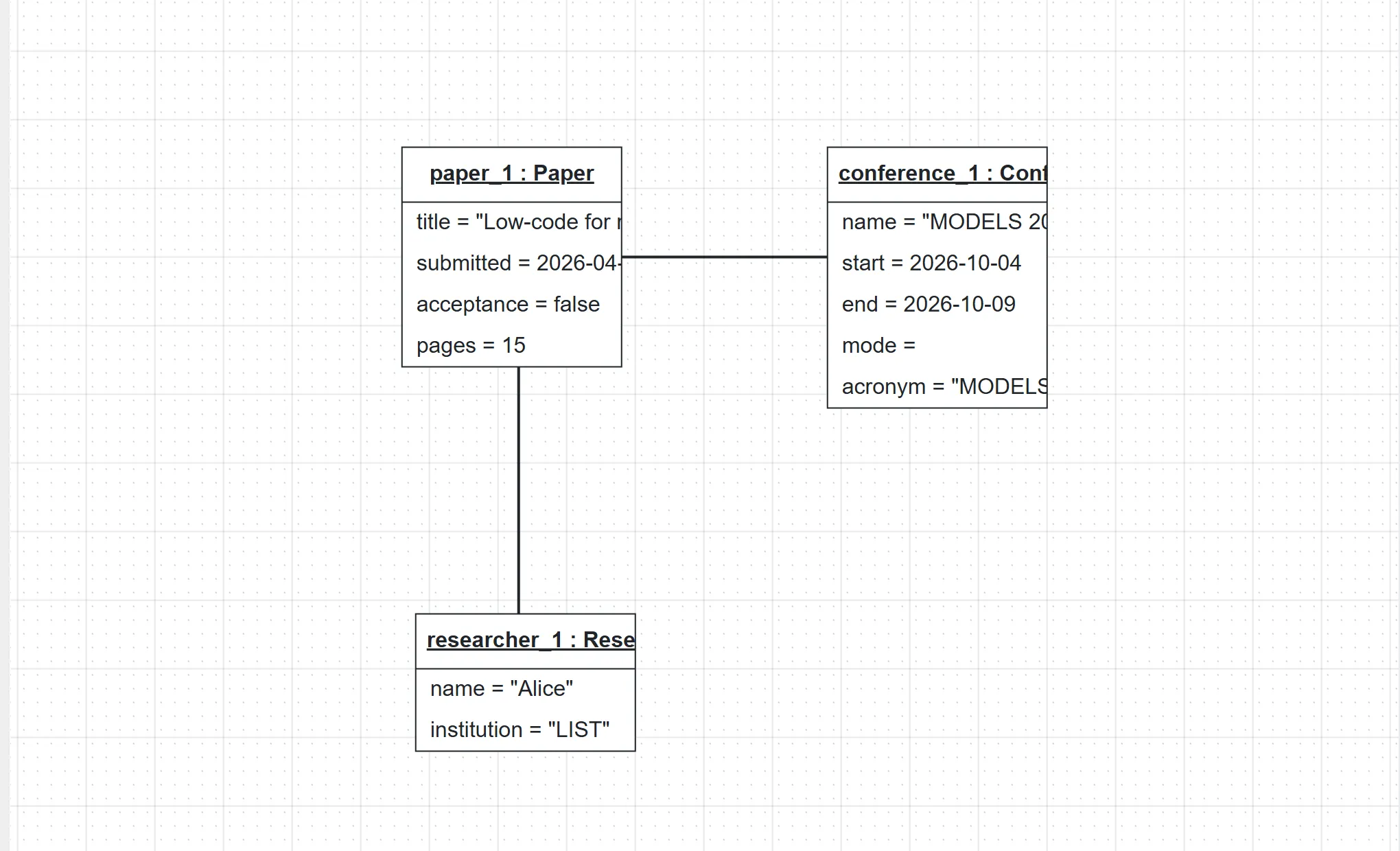
paper_1 : Paperonto the canvas and double-click it. SettitletoLow-code for research software, pick a date forsubmitted, typefalseforacceptanceand15forpages.
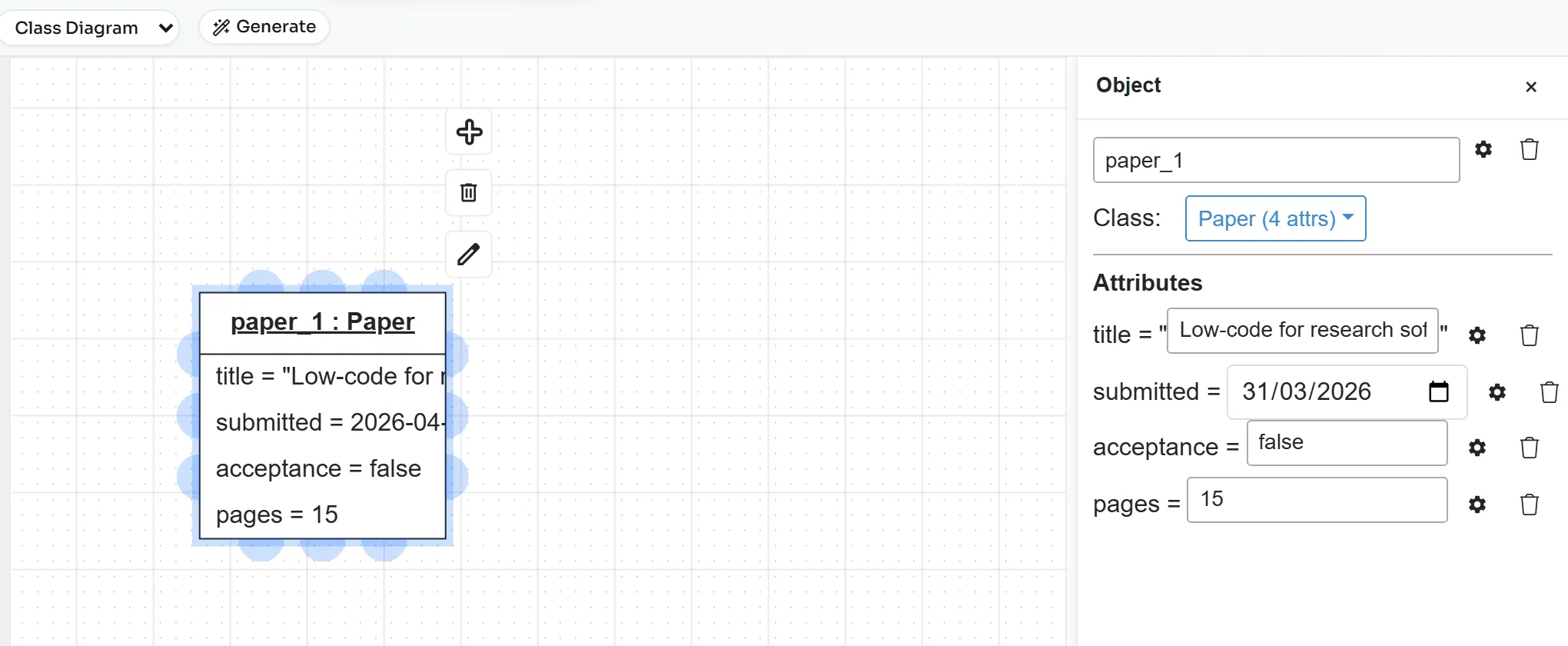
- Drag
researcher_1 : Researcherbelow it and give it a name and an institution. Dragconference_1 : Conferencenext to it and fill in its name, dates and acronym. - A paper needs an author and an event, as the multiplicities say. Select
paper_1and drag from one of its connection points toresearcher_1. Double-click the new link, open the dropdown that shows No Association and chooseauthorship.
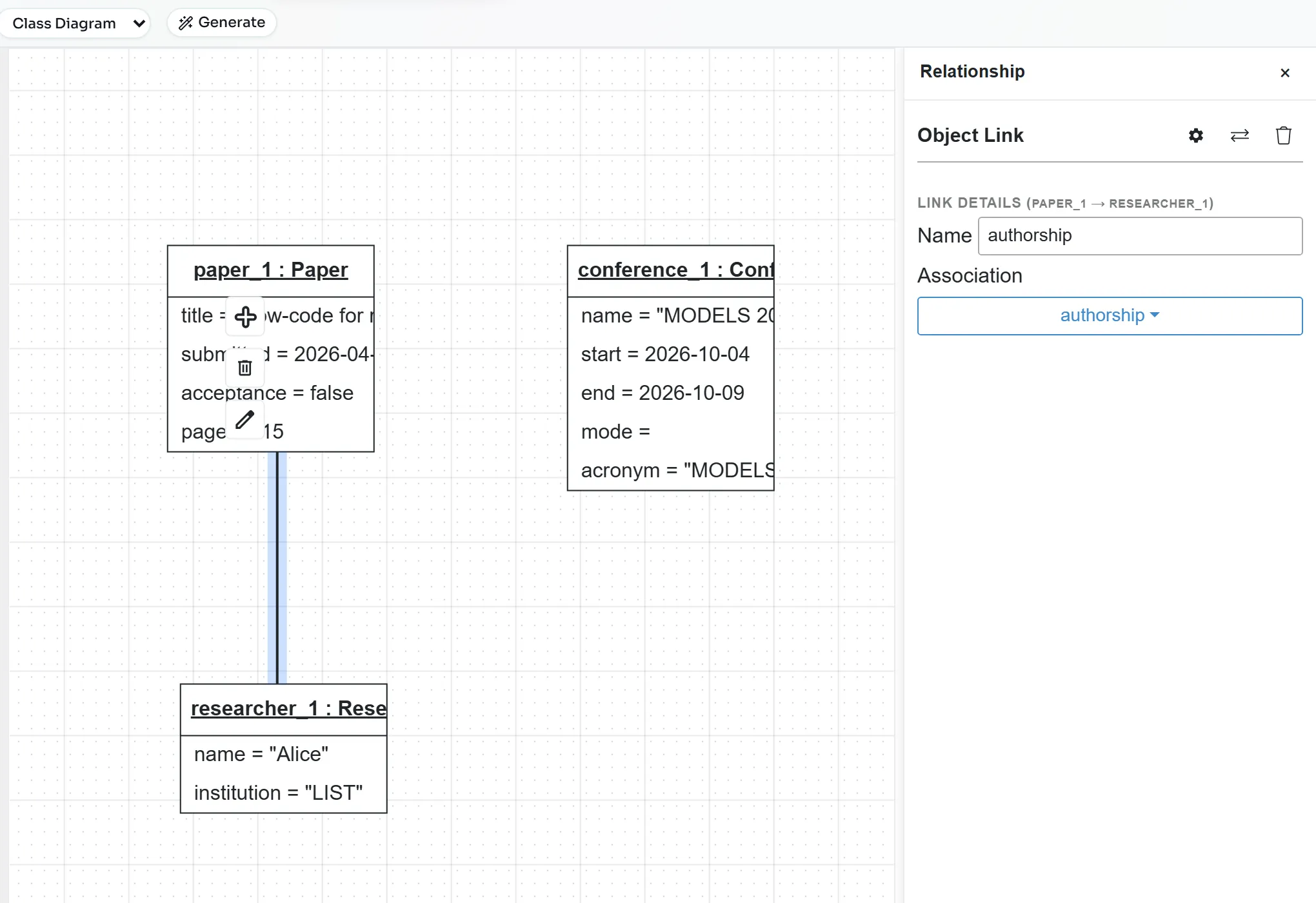
- Link
paper_1toconference_1the same way and choosepresented_at.
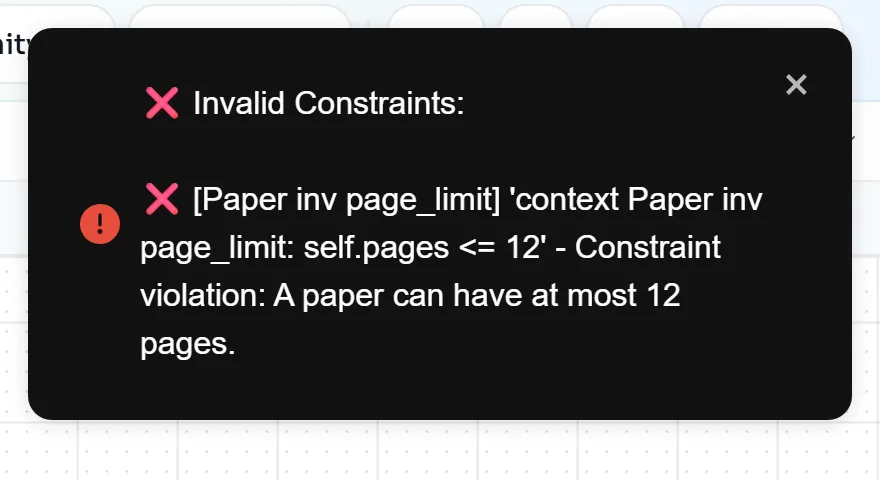
- Click Quality Check. The constraint is now evaluated against
paper_1:
- Double-click
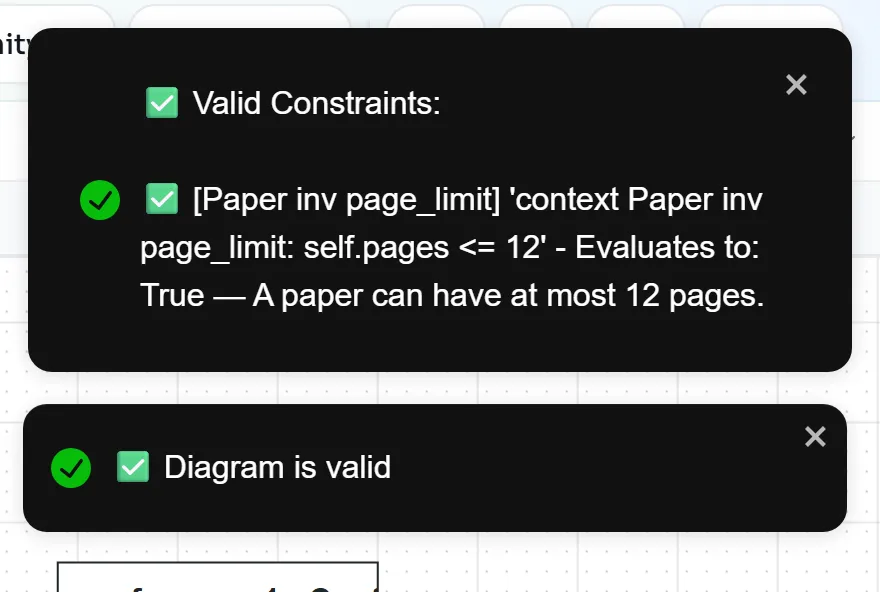
paper_1, changepagesto10and run Quality Check again.
Implement methods in BAL
The BESSER Action Language (BAL) is a small, statically typed language for method bodies. Its syntax resembles Java and Python: def name(param: type) -> return_type { ... }, this for the current object, if (...) { ... } else { ... }, statements ending in ;. The BAL overview lists everything else.
- Click Class in the sidebar and double-click
Paper. - Under Methods, type
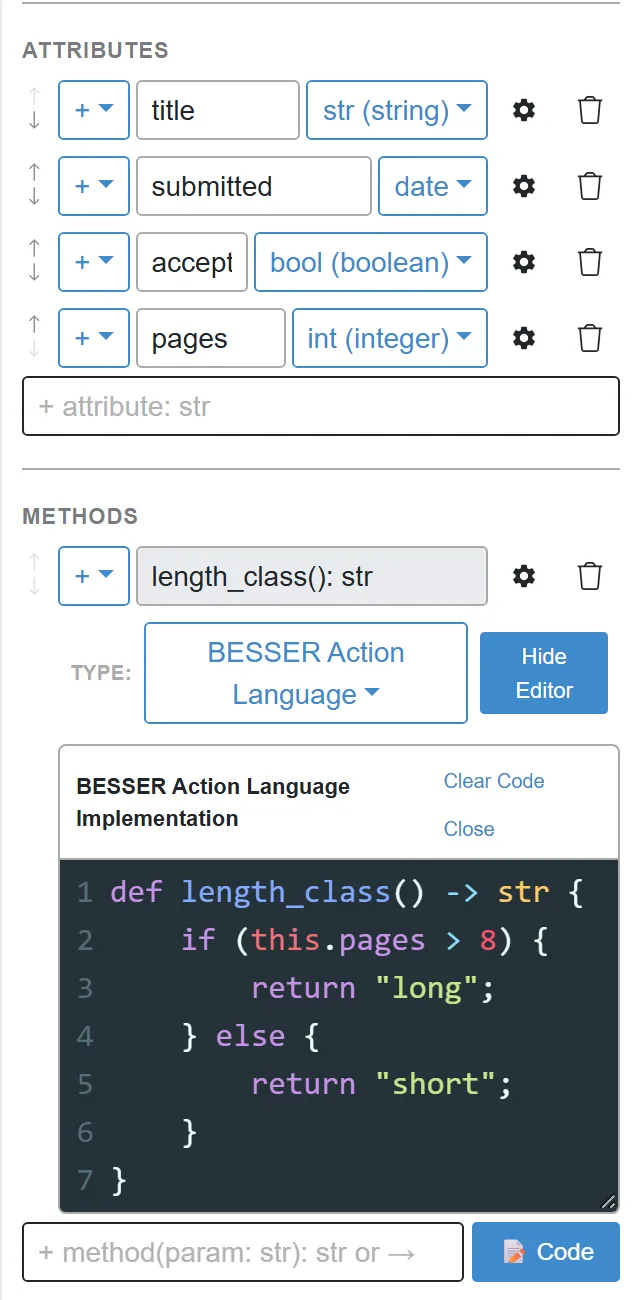
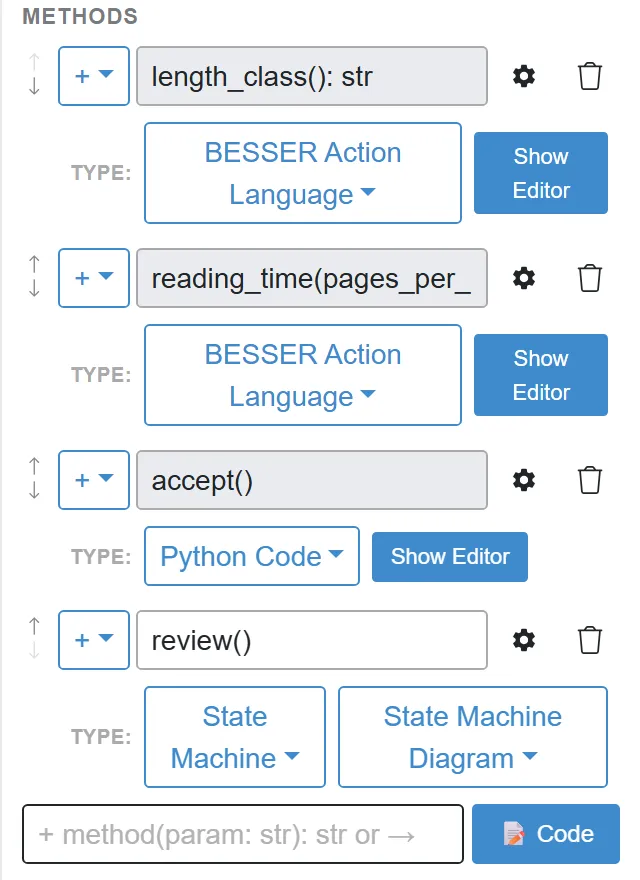
+ length_class(): strin the+ method(param: str): str or →field and press Enter. - Below the new method, open the Type: dropdown, which shows None (UML), and choose BESSER Action Language. A code editor opens with a template that starts with
def length_class() -> nothing {. - Replace the whole template with:
def length_class() -> str {
    if (this.pages > 8) {
        return "long";
    } else {
        return "short";
    }
}
- Add a second method with a parameter. Type
+ reading_time(pages_per_hour: int): float, choose BESSER Action Language, and replace the template with:
def reading_time(pages_per_hour: int) -> float {
    return this.pages * 1.0 / pages_per_hour;
}
BAL checks types. this.pages / pages_per_hour divides two int values and is an int, which does not match the declared float; the generator then stops with A return statement in function reading_time is returning an invalid type, returns int rather than float. Multiplying by 1.0 first makes the expression a float.
Add a Python method that changes the paper
A method can also be written in Python. You use it here for a method that changes the object.
- In the
Paperpanel, add+ accept(): bool. - Set its Type: to Python Code and replace the template with:
def accept(self):
    """Mark the paper as accepted."""
    self.acceptance = True
    return self.acceptance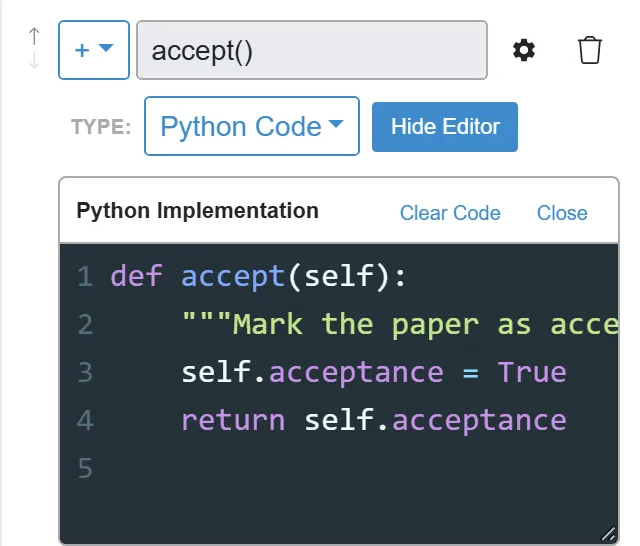
Link a state machine to a method
A method can also be implemented by a state machine. The Data Modeler perspective hides state machines, so turn them on first.
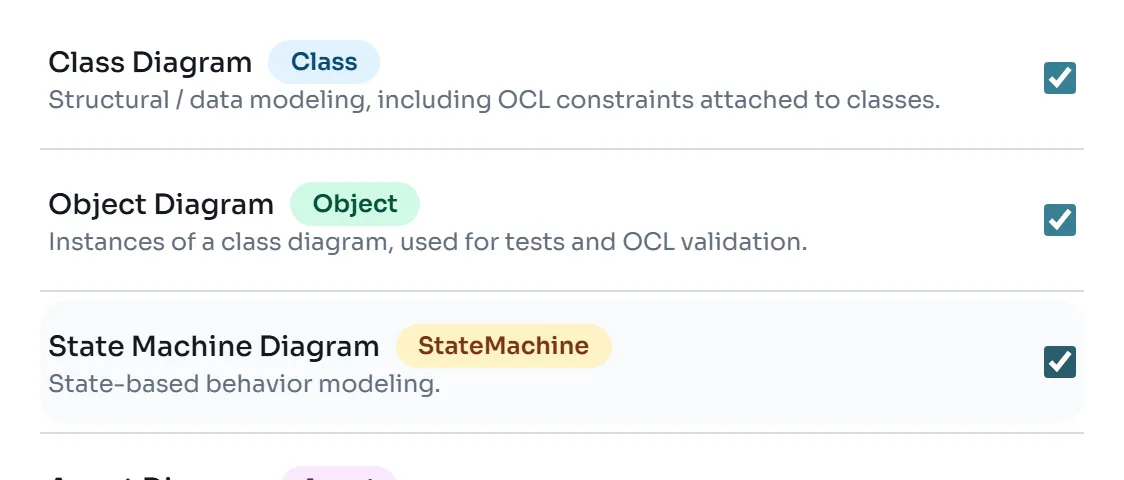
- Click Settings in the sidebar. Under Modeling Perspectives, tick State Machine Diagram. A State entry appears in the sidebar.
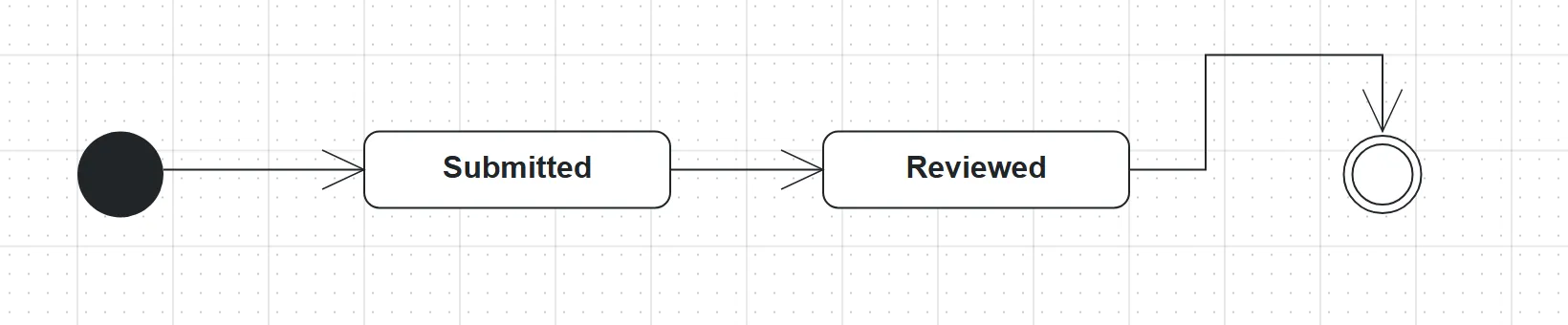
- Click State. From the palette, drag an initial node (the filled circle), two State elements and a final node (the circle with a ring) onto the canvas. Double-click the states and name them
SubmittedandReviewed. - Connect them from left to right: select an element and drag from one of its connection points to the next one.
- Go back to Class, double-click
Paperand add+ review(). Set its Type: to State Machine. A second dropdown appears; choose State Machine Diagram, the name of the state machine’s tab.
Generate the backend and call the methods
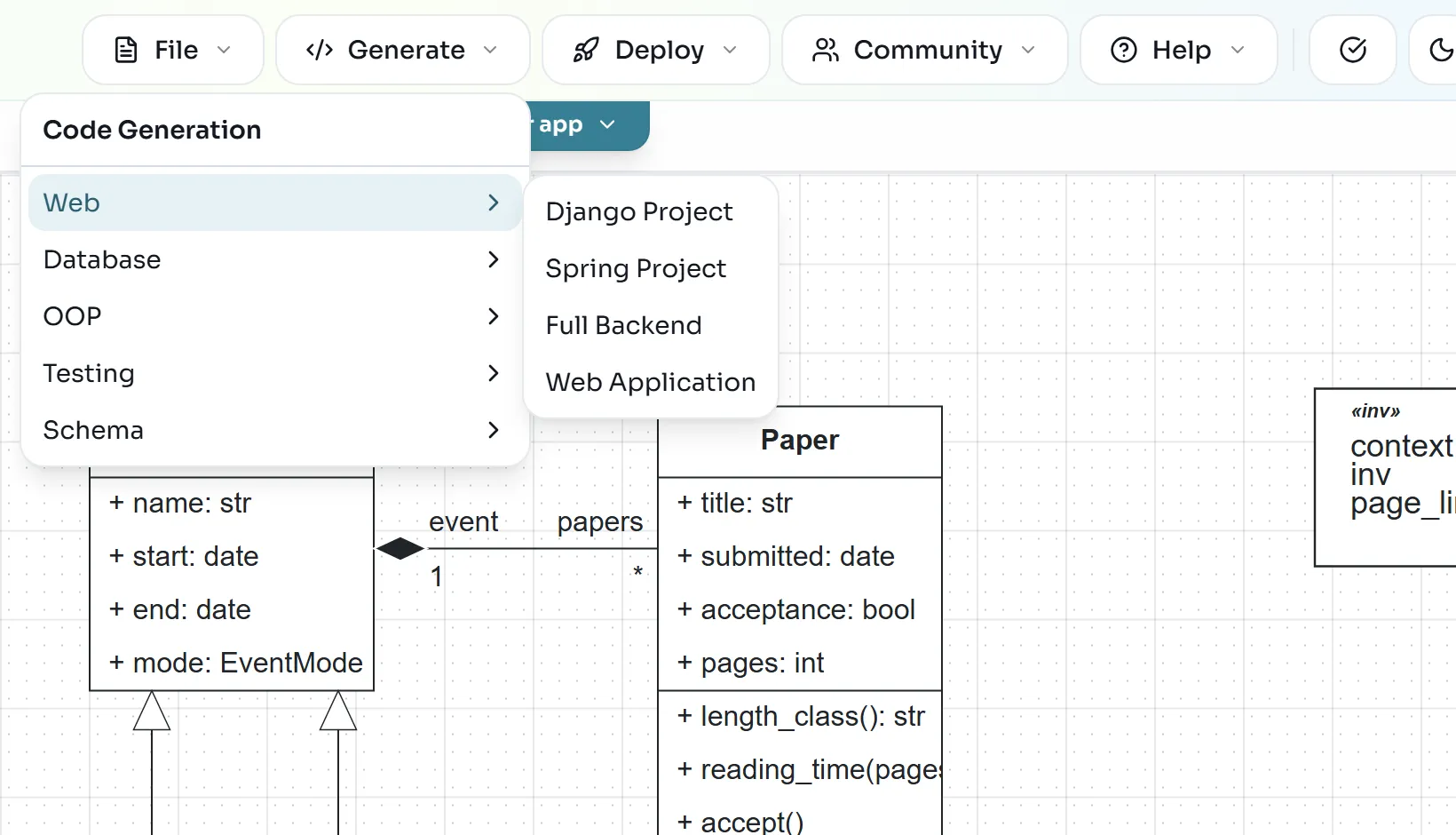
- With the class diagram active, open Generate > Web > Full Backend. The editor downloads
backend_output.zip.
- Unzip it into a new folder. It contains
main_api.py,routers/,pydantic_classes.py,sql_alchemy.py,database.py,bal_stdlib.pyandrequirements.txt. Open a terminal in that folder, create and activate a virtual environment as in Model in Python with B-UML, then install and start the server:
python -m pip install -r requirements.txt
uvicorn main_api:app --reload- Open http://127.0.0.1:8000/docs. Swagger UI lists every endpoint. The methods are under Paper Methods:

- Create the data. In Swagger UI, open an endpoint, click Try it out, paste the body and click Execute. Create a conference with
POST /conference/, then a researcher withPOST /researcher/:
{"name": "MODELS 2026", "start": "2026-10-04", "end": "2026-10-09", "mode": "in_person", "acronym": "MODELS"}{"name": "Alice", "institution": "LIST"}- Try to create a paper that breaks the page limit with
POST /paper/:
{"title": "Too long", "submitted": "2026-04-01", "acceptance": false, "pages": 15, "authors": [1], "event": 1}The server answers with code 422. Your OCL invariant became a validator in pydantic_classes.py:
{"detail":[{"type":"value_error","loc":["body","pages"],"msg":"Value error, pages must be <= 12","input":15,"ctx":{"error":{}},"url":"https://errors.pydantic.dev/2.6/v/value_error"}]}- Send the same body with
"title": "Low-code for research software"and"pages": 10. This time you get code 200 and a paper with"id": 1. - Call the methods on paper 1. For
POST /paper/{paper_id}/methods/length_class/, enter1aspaper_idand execute:
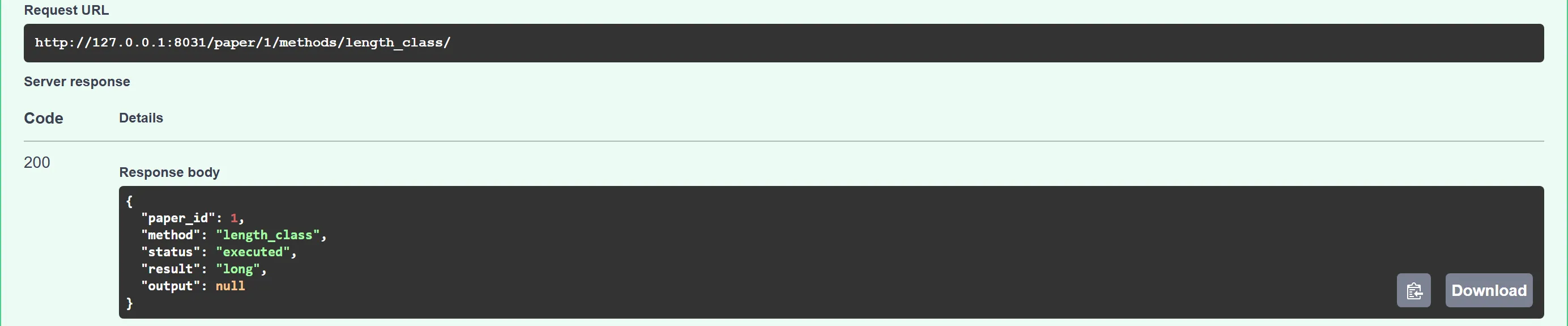
For reading_time, send the parameter inside params:
{"params": {"pages_per_hour": 4}}{"paper_id":1,"method":"reading_time","status":"executed","result":"2.5","output":null}Then call accept with an empty body ({}) and read the paper back with GET /paper/{paper_id}/:
{"paper":{"id":1,"acceptance":true,"event_id":1,"pages":10,"title":"Low-code for research software","submitted":"2026-04-01"},"researcher_ids":[1]}- Finally, call
POST /paper/{paper_id}/methods/review/. It answers with code 501 andMethod 'review' of Paper is modeled but has no implementation - 501, never a fake success: the endpoint exists because the method is in the model, but its state machine is not translated into code.
The data is stored in SQLite, in data/Class_Diagram.db inside the backend folder; delete that file to start with an empty database. Stop the server with Ctrl+C.
Exercise: more rules and more behavior
Show a solution
The expression compares two attributes of the same object: context ResearchEvent inv dates_in_order: self.end >= self.start. The generated backend then rejects such an event with code 422 and Constraint 'dates_in_order' violated: self.end >= self.start. Because Conference inherits from ResearchEvent, the rule applies to conferences and workshops too.
Show a solution
The body is a single return of a comparison between this.pages and the parameter. Send the parameter as {"params": {"limit": 8}}. Remember that BAL statements end with ;.
Further reading: OCL in B-UML, the BESSER Action Language, the object diagram guide and the backend generator.