

Lab 06From a class diagram to a database
A Library class diagram turned into SQL DDL for two dialects, a SQLite database created with SQLAlchemy, and a running FastAPI backend you fill through Swagger.
- Time
- 50 min
- Level
- Intermediate
- Runs with
- Browser, Python
- Do first
- Lab 1
You'll learn to
- Generate SQL DDL for SQLite and PostgreSQL from a class diagram and explain the differences
- Predict how classes, attributes, enumerations, associations and inheritance become tables, columns and keys
- Create a SQLite database from generated SQLAlchemy code and inspect its tables
- Run the generated FastAPI backend and create, read, update and delete records through Swagger
You'll need
- A modern browser
- Python 3.11 or 3.12 with pip
- A terminal and a folder you can unzip files into
Files for this lab
A class diagram already describes the data your application stores. In this lab you use the Web Modeling Editor to turn the Library template into database code: plain SQL DDL for two dialects, SQLAlchemy models that create a SQLite database, and a complete FastAPI backend with a REST API on top of it.
You read the real generated output at every step, so you learn the mapping rules by example: which UML construct becomes a table, a column, a foreign key or a separate association table. Along the way you change one association and add a subclass, and watch the schema change with them.
Load the Library template and check it
- Open editor.besser-pearl.org and create a new project with
File > New Project (on a first visit, click Start modelling on the Model it card).
Name it
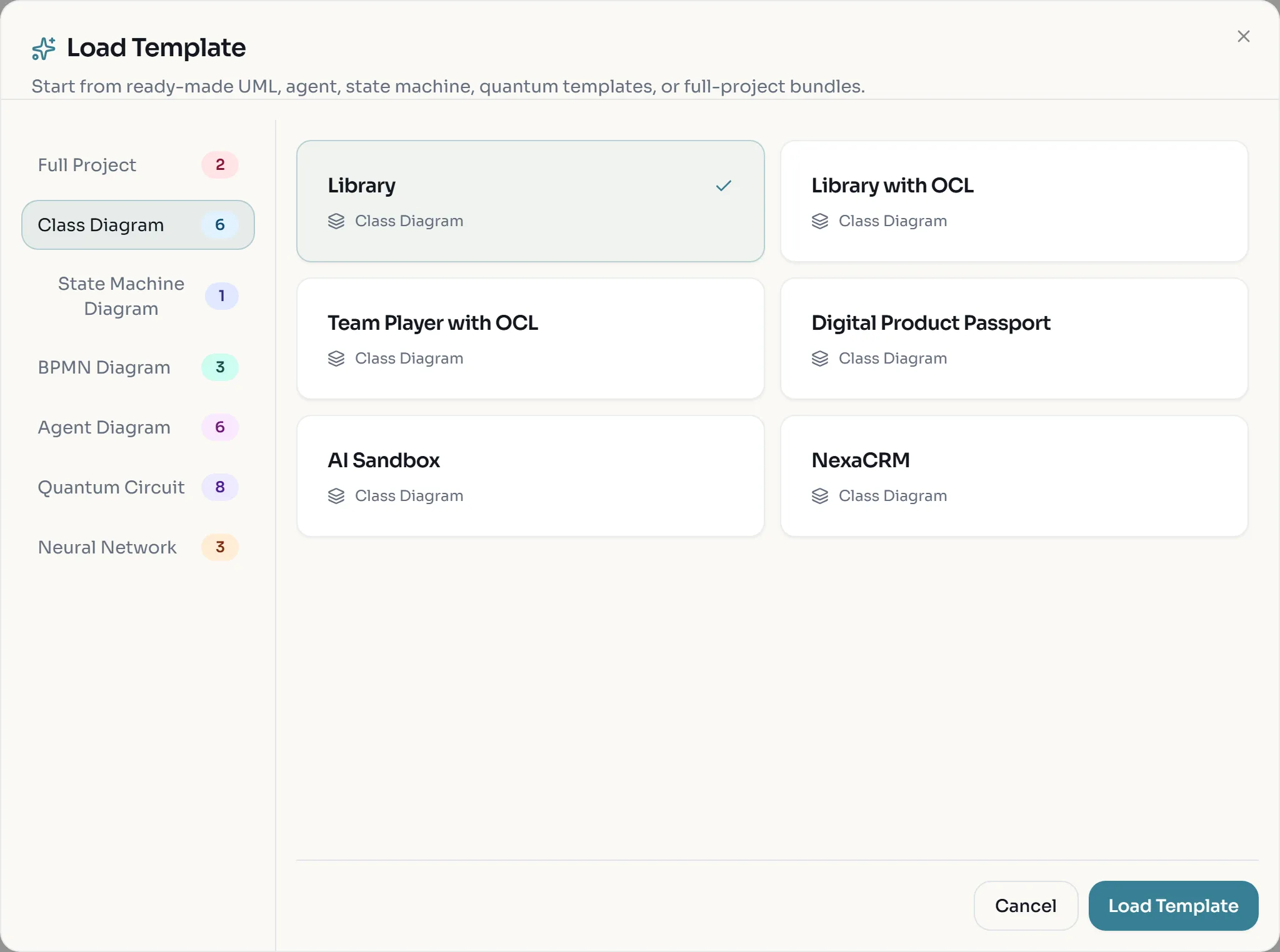
Library DBand click Create Project. - Open File > Load Template. In the dialog, Class Diagram is selected on the left and Library is preselected. Click Load Template.
- Click Quality Check in the top bar (the check-mark icon). A message reports the OCL constraint
inv1as valid and ends with “Diagram is valid”.
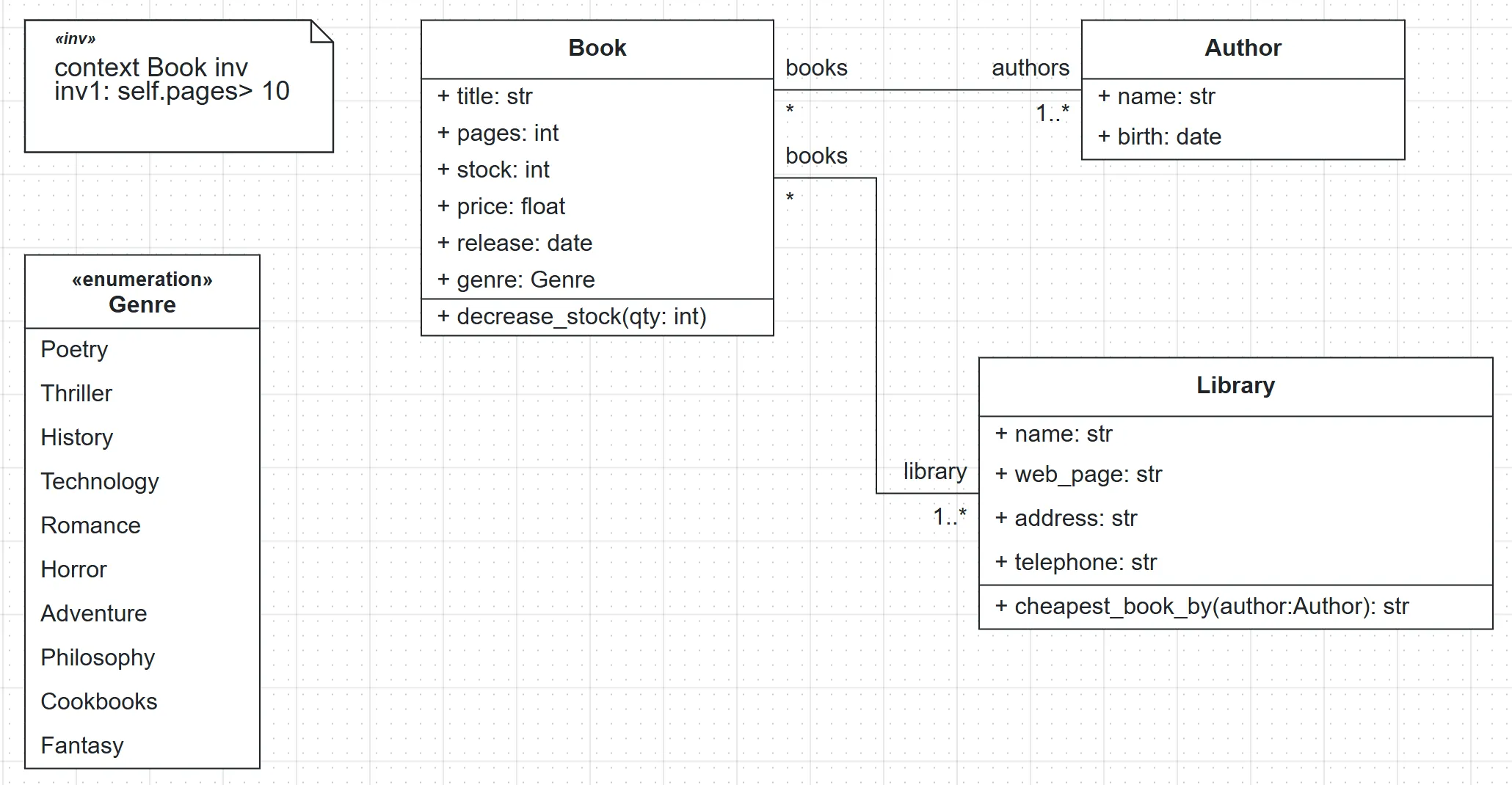
Look at the model with a database designer’s eye before you generate anything:
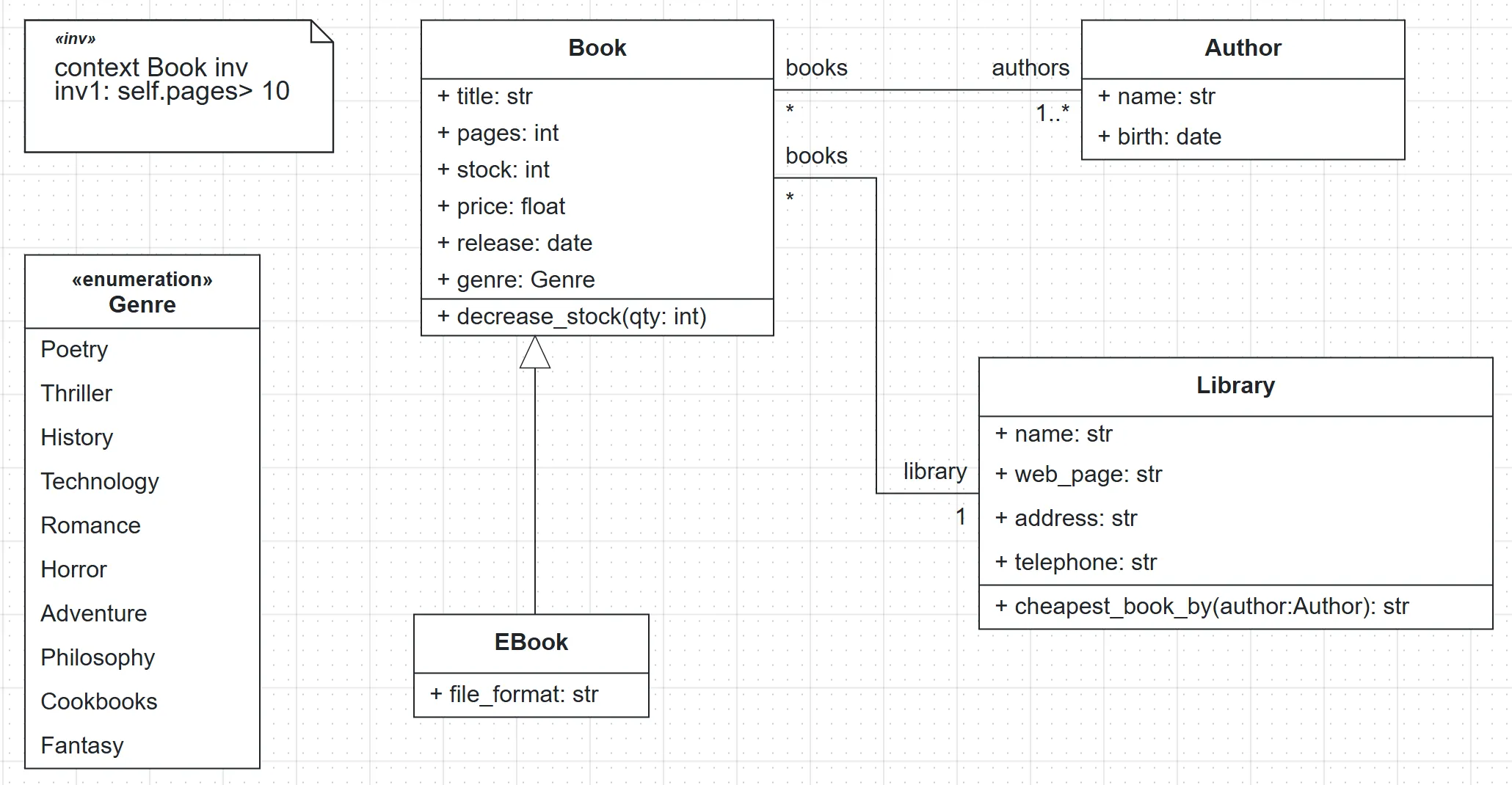
Book,AuthorandLibraryare classes, so each becomes a table.Genreis an enumeration.Book.genreis typed with it.- Book and Author are linked by an association with multiplicity
*on the Book end and1..*on the Author end. - Book and Library are linked by an association with
*on the Book end and1..*on the Library end. Both ends allow many, so this is also many-to-many: a book can belong to several libraries. - Both associations are named
books.
Generate SQL DDL for SQLite and PostgreSQL
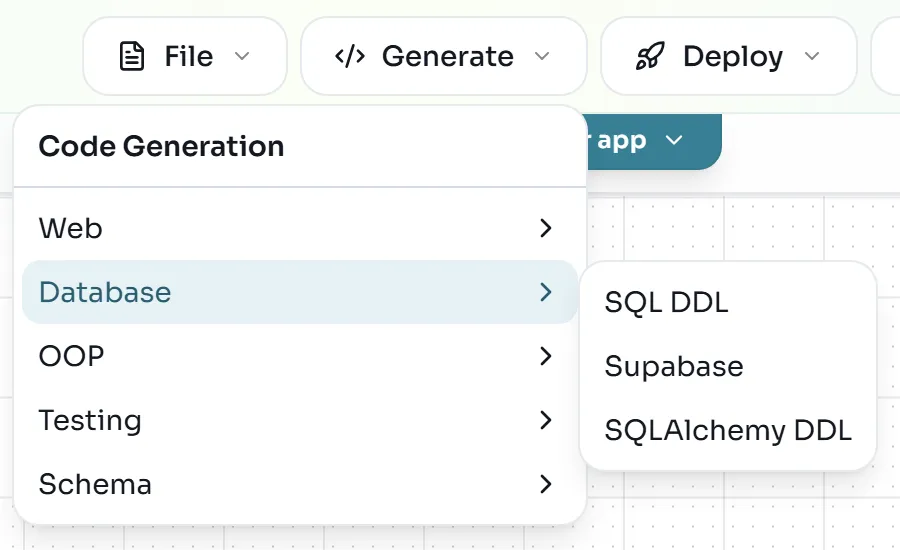
- Open Generate > Database > SQL DDL.
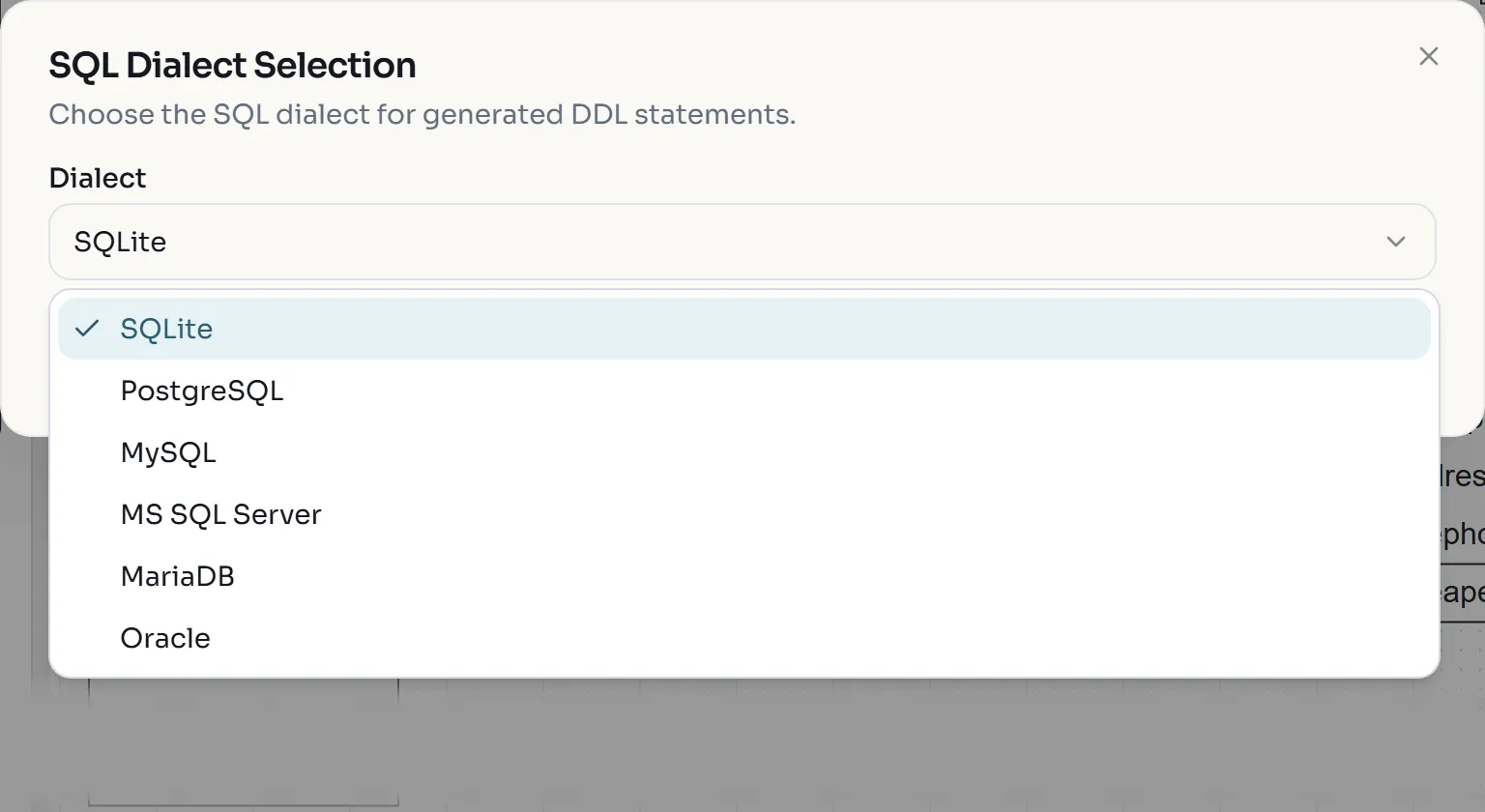
- In the SQL Dialect Selection dialog, keep Dialect on SQLite and click Generate.
The browser downloads
tables.sql. Rename it totables_sqlite.sql. - Open Generate > Database > SQL DDL again, choose PostgreSQL and click Generate.
Rename this download to
tables_postgresql.sql.
Open both files side by side. This is the book table and the two association tables from the SQLite file:
CREATE TABLE book (
	id INTEGER NOT NULL,
	title VARCHAR(100) NOT NULL,
	pages INTEGER NOT NULL,
	stock INTEGER NOT NULL,
	price FLOAT NOT NULL,
	release DATE NOT NULL,
	genre VARCHAR(10) NOT NULL,
	PRIMARY KEY (id)
)

CREATE TABLE books (
	books INTEGER NOT NULL,
	library INTEGER NOT NULL,
	PRIMARY KEY (books, library),
	FOREIGN KEY(books) REFERENCES book (id),
	FOREIGN KEY(library) REFERENCES library (id)
)

CREATE TABLE books_1 (
	authors INTEGER NOT NULL,
	books INTEGER NOT NULL,
	PRIMARY KEY (authors, books),
	FOREIGN KEY(authors) REFERENCES author (id),
	FOREIGN KEY(books) REFERENCES book (id)
)
And the same book table in the PostgreSQL file:
CREATE TYPE genre AS ENUM ('Poetry', 'Thriller', 'History', 'Technology', 'Romance', 'Horror', 'Adventure', 'Philosophy', 'Cookbooks', 'Fantasy');

CREATE TABLE book (
	id SERIAL NOT NULL,
	title VARCHAR(100) NOT NULL,
	pages INTEGER NOT NULL,
	stock INTEGER NOT NULL,
	price FLOAT NOT NULL,
	release DATE NOT NULL,
	genre genre NOT NULL,
	PRIMARY KEY (id)
)
What the two files tell you:
| UML construct | Becomes | Dialect difference |
|---|---|---|
Class Book | Table book with a surrogate key id | SQLite INTEGER, PostgreSQL SERIAL (auto-increment) |
Attribute title: str | Column VARCHAR(100) NOT NULL | none |
Enumeration Genre | Values of book.genre | SQLite stores a VARCHAR(10) (the longest literal); PostgreSQL creates a real genre type |
| Many-to-many association | A separate table, named after the association, with a composite primary key of two foreign keys | none |
Because both associations are called books, the second table is renamed books_1. The columns are named
after the association ends (authors, books, library), so role names matter in the schema.
Turn one association into a foreign key and add a subclass
Many-to-many is not the usual design for libraries and books. Make each book belong to exactly one library,
and add an EBook subclass so you can see how inheritance is stored.
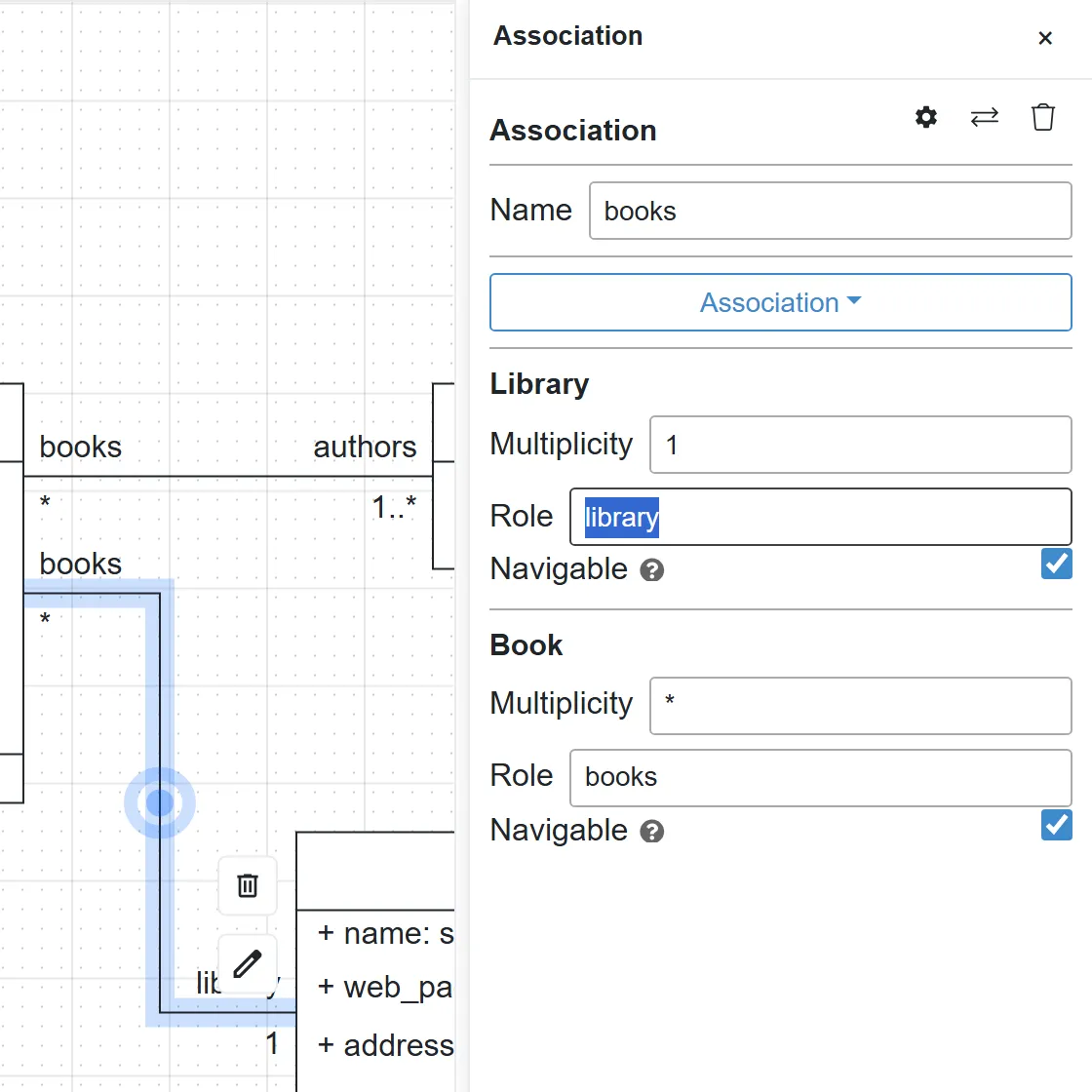
- Double-click the association line between Book and Library. The properties panel opens on the right.
- Under Library, change Multiplicity from
1..*to1. Leave the Book end at*.
- Drag the first Class element from the palette onto the empty area below Book. Double-click it,
rename it to
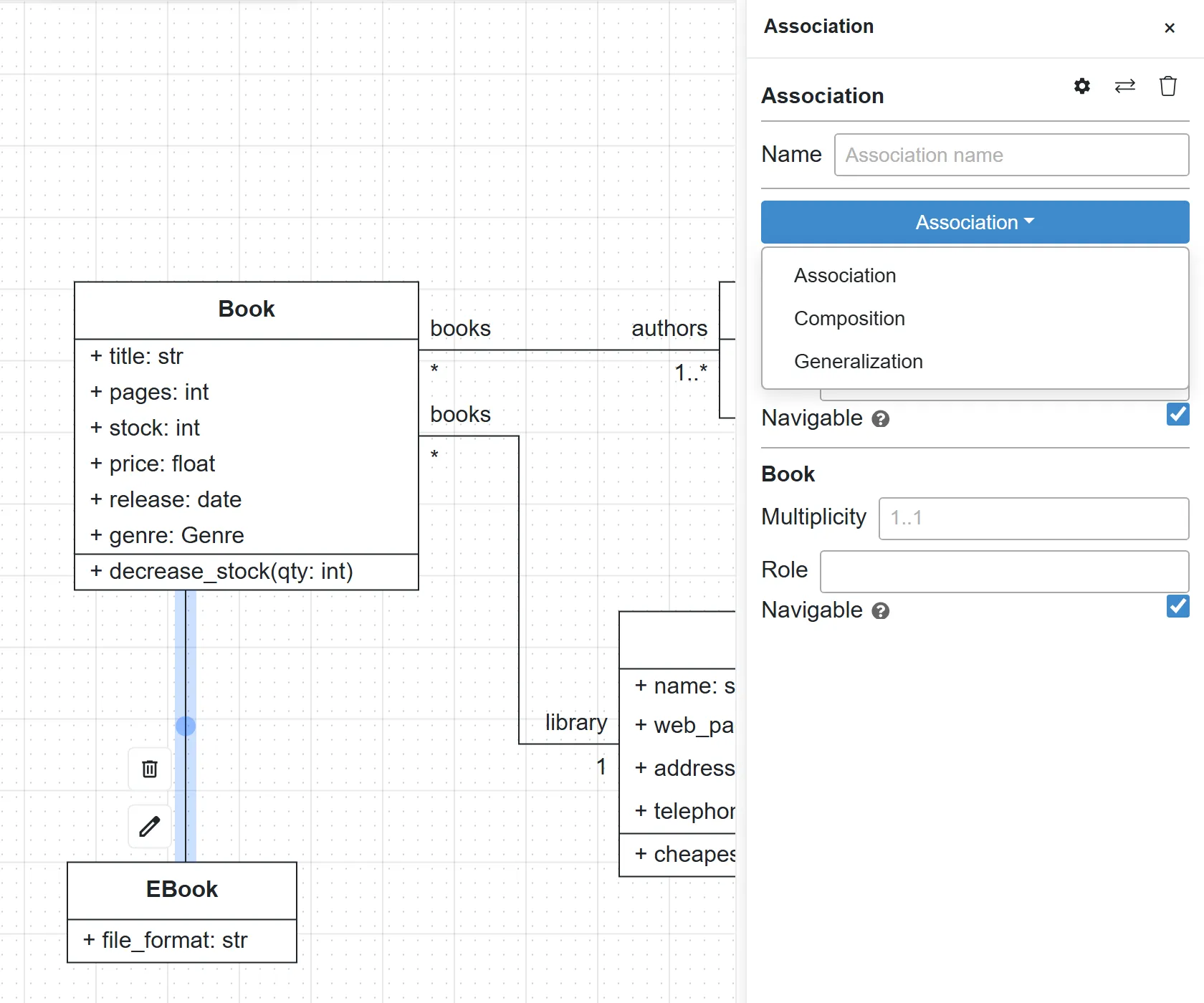
EBook, and rename its attribute tofile_format(typestr). - Click EBook, then drag from one of the blue connection points on its top edge to the bottom edge of Book.
- Double-click the new line. In the properties panel, open the dropdown that reads Association and choose Generalization.
- Click Quality Check again.
- Generate the SQL DDL again for SQLite and for PostgreSQL, as in the previous step.
The new SQLite book and ebook tables:
CREATE TABLE book (
	id INTEGER NOT NULL,
	title VARCHAR(100) NOT NULL,
	pages INTEGER NOT NULL,
	stock INTEGER NOT NULL,
	price FLOAT NOT NULL,
	release DATE NOT NULL,
	genre VARCHAR(10) NOT NULL,
	library_id INTEGER NOT NULL,
	type_spec VARCHAR(50) NOT NULL,
	PRIMARY KEY (id),
	FOREIGN KEY(library_id) REFERENCES library (id)
)

CREATE TABLE ebook (
	id INTEGER NOT NULL,
	file_format VARCHAR(100) NOT NULL,
	PRIMARY KEY (id),
	FOREIGN KEY(id) REFERENCES book (id)
)
Two mapping rules are visible here:
- One-to-many becomes a foreign key. The
booksassociation table is gone. The “many” side,book, gets a columnlibrary_idthat referenceslibrary (id). It isNOT NULLbecause the multiplicity is exactly1. The Book and Author association is still many-to-many, sobooks_1stays. - Inheritance becomes joined tables.
ebookholds only the attribute EBook adds, and itsidis both its primary key and a foreign key tobook.id. The parent table gets atype_speccolumn that records which class each row belongs to. Reading an e-book joins the two tables.
Create a SQLite database with SQLAlchemy
The SQL file is text. SQLAlchemy code is Python that can create the database for you and is the same layer the generated backend uses.
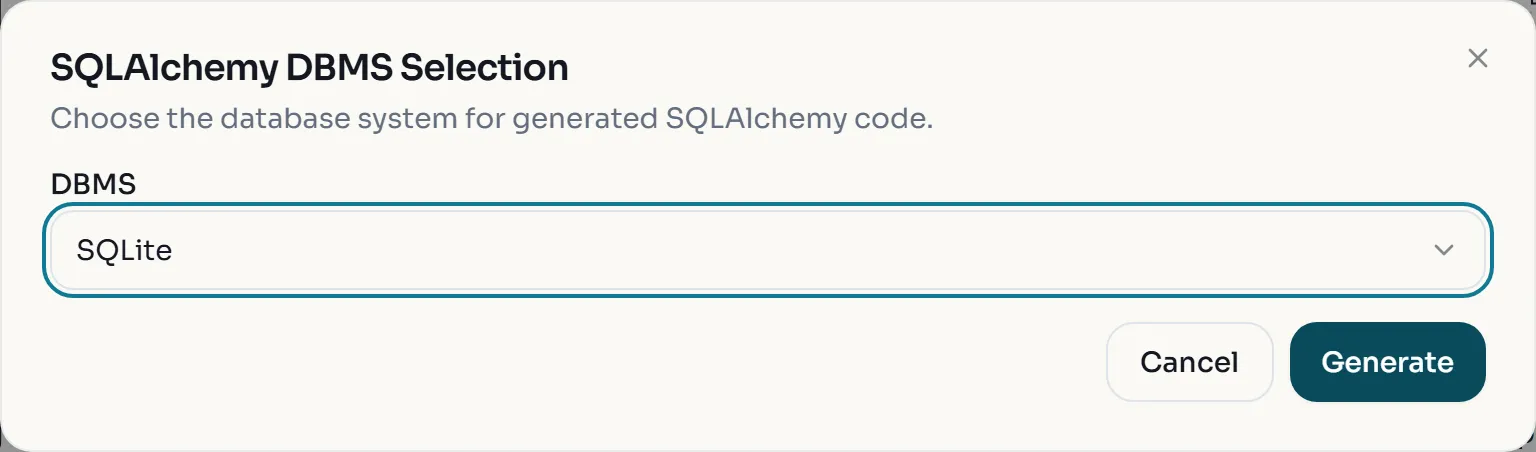
- Open Generate > Database > SQLAlchemy DDL. In SQLAlchemy DBMS Selection, make sure
DBMS is SQLite and click Generate. The browser downloads
sql_alchemy.py.
- Create a working folder, move
sql_alchemy.py,tables_sqlite.sqland list_tables.py into it, and install SQLAlchemy:
python -m pip install "sqlalchemy>=2.0"- Run the generated file. It creates a
datafolder and the databasedata/Library.db:
python sql_alchemy.py- List the tables and their columns with the provided script, which uses only Python’s built-in
sqlite3module:
import sqlite3

con = sqlite3.connect("data/Library.db")
for (name,) in con.execute("SELECT name FROM sqlite_master WHERE type='table' ORDER BY name"):
    cols = [row[1] for row in con.execute(f"PRAGMA table_info({name})")]
    print(f"{name}: {', '.join(cols)}")
python list_tables.pyauthor: id, name, birth
book: id, title, pages, stock, price, release, genre, library_id, type_spec
books_1: authors, books
ebook: id, file_format
library: id, name, web_page, address, telephoneOpen sql_alchemy.py and find the same rules in Python form: class Genre(enum.Enum), a Table_("books_1", ...)
for the many-to-many association, library_id ... ForeignKey_("library.id") on Book, and
class EBook(Book) with "polymorphic_on": "type_spec". The connection string is read from the
DATABASE_URL environment variable and falls back to sqlite:///./data/Library.db.
- Optional: run the SQL file directly. Delete its
CREATE TYPEline first, then save this asrun_ddl.pyand run it:
import sqlite3

con = sqlite3.connect("ddl_test.db")
con.executescript(open("tables_sqlite.sql", encoding="utf-8").read())
print([name for (name,) in con.execute("SELECT name FROM sqlite_master WHERE type='table'")])
['author', 'library', 'book', 'books_1', 'ebook']Generate the Full Backend and run it
The Full Backend generator adds Pydantic schemas, routers and a FastAPI application on top of the same SQLAlchemy models.
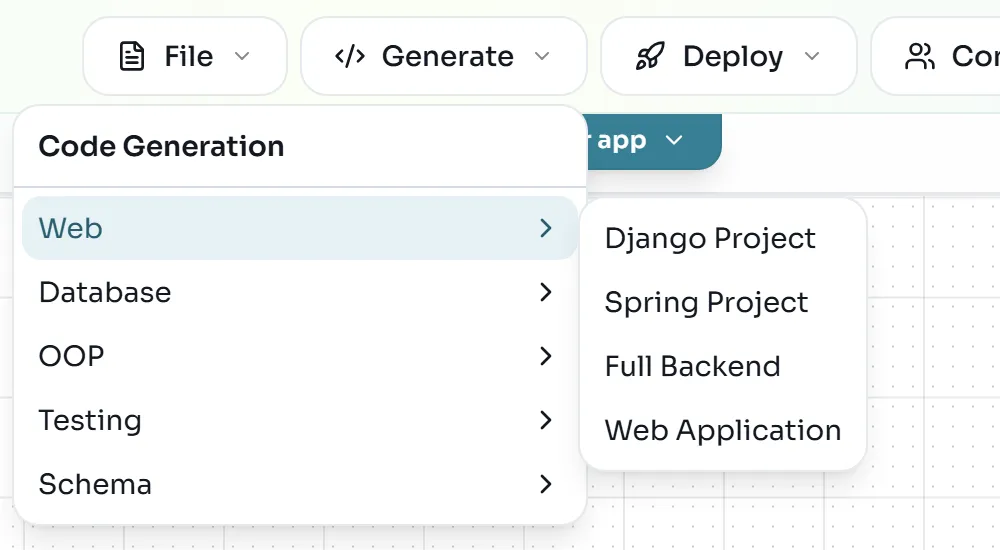
- Open Generate > Web > Full Backend. There is no dialog: the browser downloads
backend_output.zip.
- The zip has no top-level folder, so create one first and extract into it, for example
library_backend/. You getmain_api.py,database.py,sql_alchemy.py,pydantic_classes.py,bal_stdlib.py,requirements.txtand arouters/folder with one router per class plusbook_methods.pyandlibrary_methods.py. - Create a virtual environment, install the requirements and start the server from inside that folder:
cd library_backend
python -m venv .venv
source .venv/bin/activate
pip install -r requirements.txt
uvicorn main_api:app --reload
cd library_backend
python -m venv .venv
.venv\Scripts\Activate.ps1
pip install -r requirements.txt
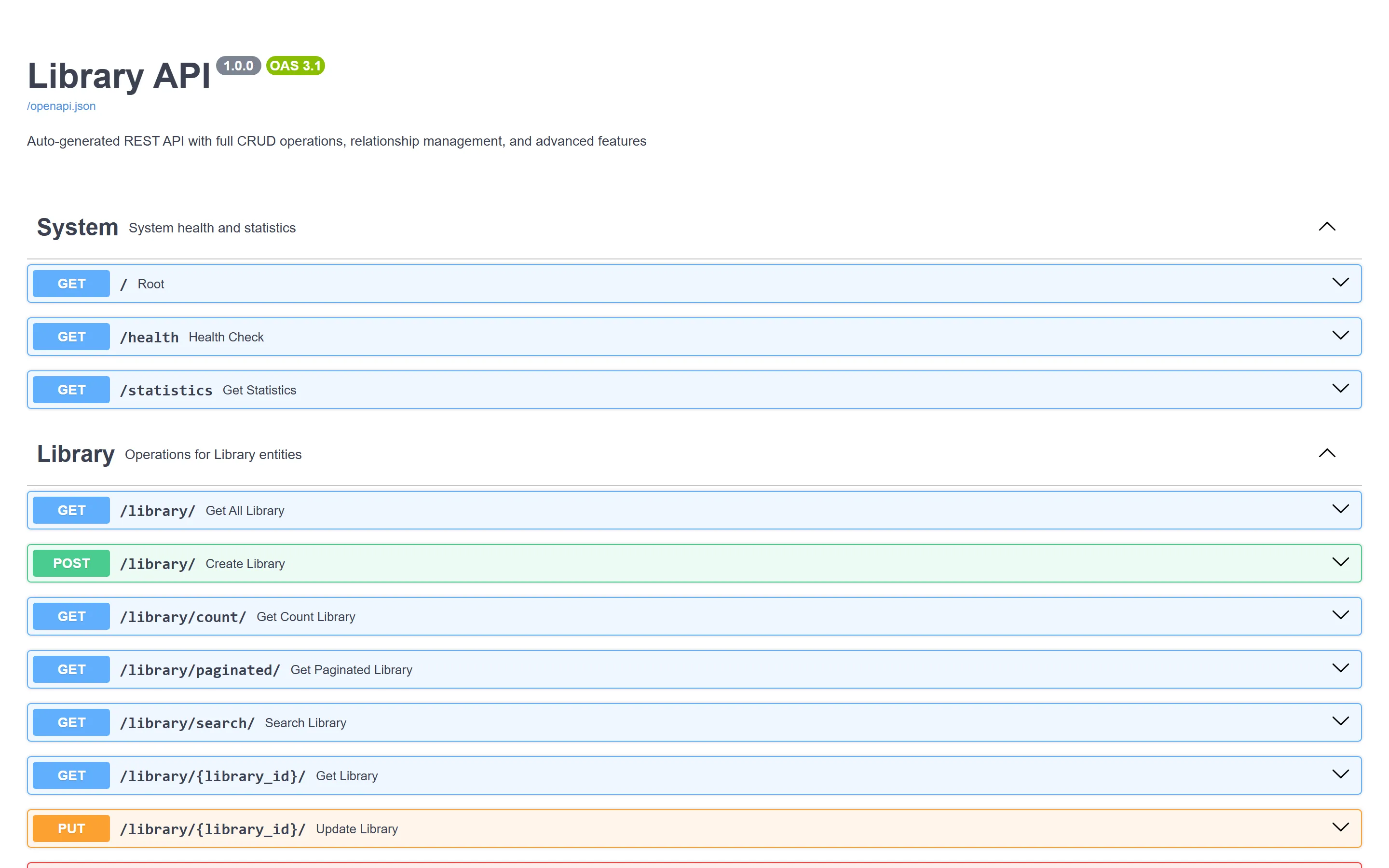
uvicorn main_api:app --reloadThe server prints Uvicorn running on http://127.0.0.1:8000. On startup it creates data/Library.db
inside library_backend/, separate from the database of the previous step.
Create, read, update and delete records through Swagger
The order matters because of the multiplicities: a Book needs exactly one Library and at least one Author, so create those first.
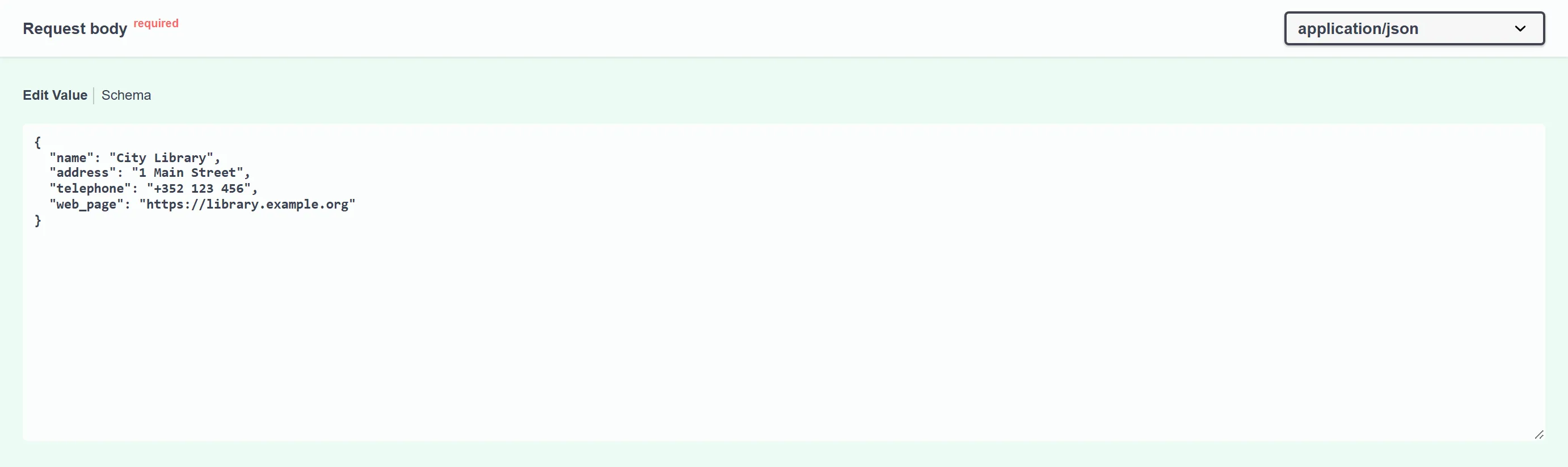
- Expand POST /library/, click Try it out, replace the example body with the following and click Execute:
{
  "name": "City Library",
  "address": "1 Main Street",
  "telephone": "+352 123 456",
  "web_page": "https://library.example.org"
}
The response is 200 with "id": 1 and "books_ids": [].
- Create an author with POST /author/:
{
  "name": "Ada Writer",
  "birth": "1970-05-01"
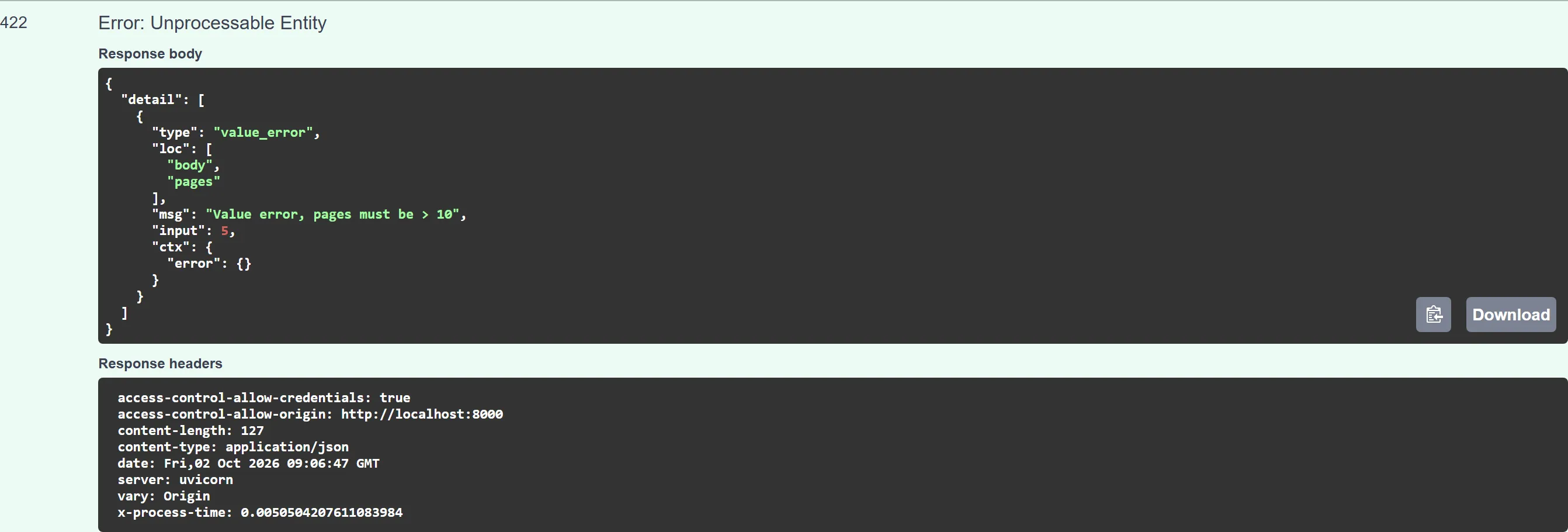
}- Try to create a book that breaks the OCL invariant. Use POST /book/ with
"pages": 5:
{
  "title": "Tiny",
  "pages": 5,
  "stock": 1,
  "price": 2.5,
  "release": "2024-03-15",
  "genre": "Poetry",
  "library": 1,
  "authors": [1]
}
- Execute POST /book/ again with a valid book.
libraryis the foreign key you saw in the DDL,authorsfills thebooks_1association table, andgenremust be one of the enumeration literals:
{
  "title": "Modeling 101",
  "pages": 240,
  "stock": 5,
  "price": 29.9,
  "release": "2024-03-15",
  "genre": "Technology",
  "library": 1,
  "authors": [1]
}
The response contains "library_id": 1, "type_spec": "book" and "author_ids": [1].
- Read the relationship back with GET /library/{library_id}/books/ and
library_id=1.
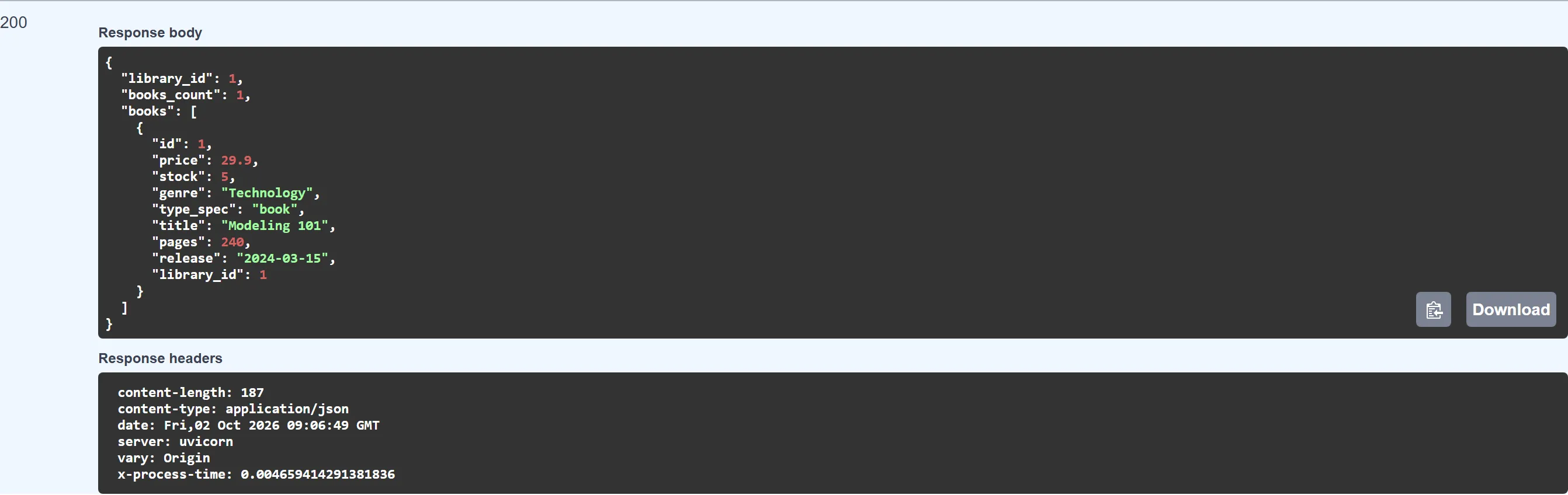
- Update: use PUT /book/{book_id}/ with
book_id=1and the same body as in step 4 but"stock": 4. - Call a modeled method: POST /book/{book_id}/methods/decrease_stock/ with
book_id=1and the body{"params": {"qty": 1}}. The response reports"status": "executed", and a newGET /book/1/shows"stock": 3. - Delete: create an e-book with POST /ebook/ (the valid book body plus
"file_format": "EPUB"), then remove it with DELETE /ebook/{ebook_id}/. Before you delete it, run GET /book/: the e-book is listed among the books with"type_spec": "ebook", because its common columns live in thebooktable.
Exercise: extend the model with loans
Show a solution
Two one-to-many associations (Member 1 to Loan *, Book 1 to Loan *) give loan two NOT NULL foreign
key columns and no association table. If you made either end 0..1 instead of 1, check how that changes
the NOT NULL on the foreign key.
Show a solution
Joined-table inheritance is the default. The documentation describes when the generator switches to a different strategy for abstract parents, and the condition depends on whether the parent has relationships. Book has two, so compare your output with that rule.